
Customers
A customer database that knows what you delivered
Orchido is a customer database for people and companies, with phone numbers, notes and logged calls on one record. Record a sale or a sample, and the goods leave your stock in the same step.
14 days free trial.No credit card.
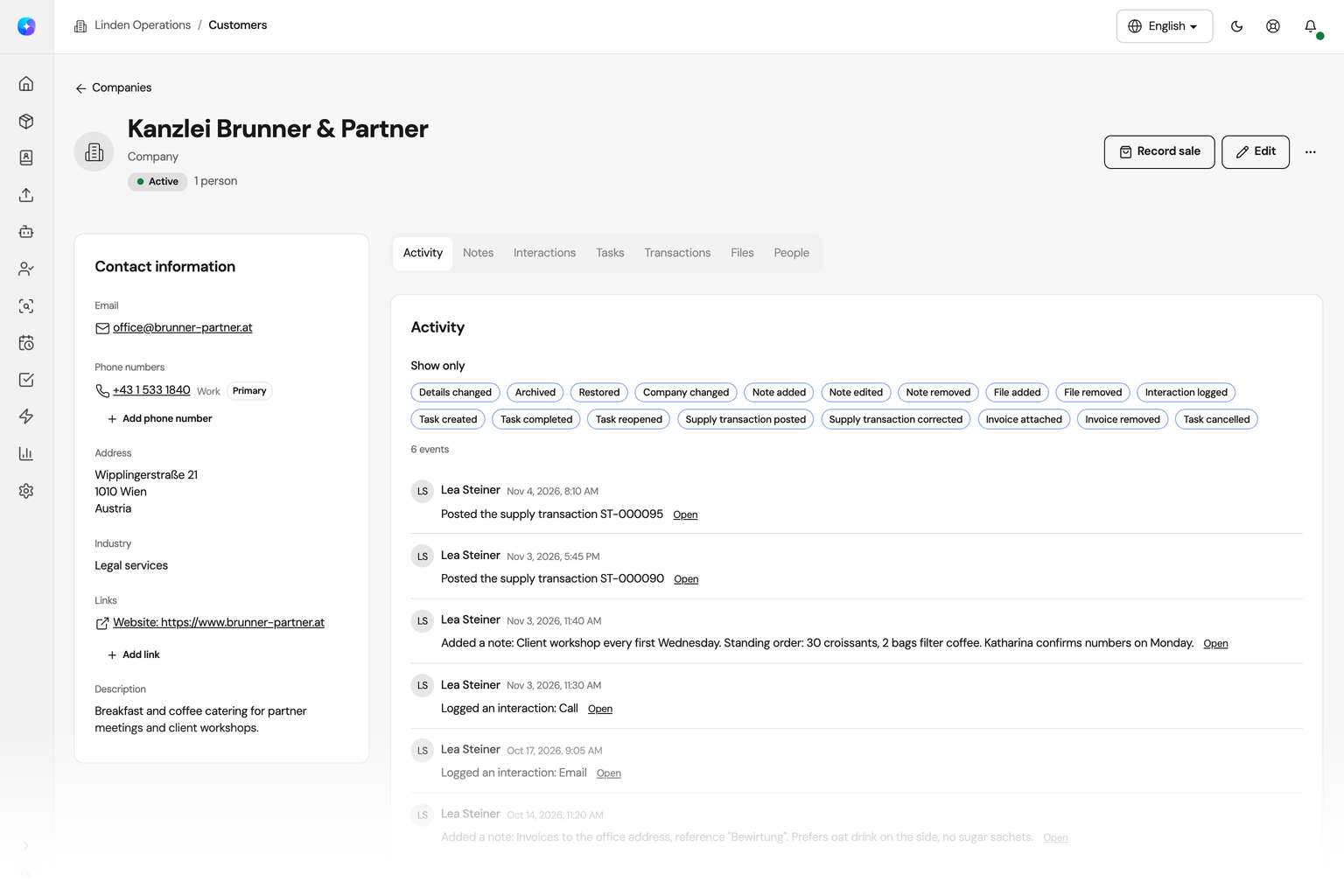
Customers and stock in one place
A spreadsheet holds names and numbers. Orchido also shows what happened with each customer and what left your stock for them.
With a spreadsheet
- Contact details live in one file, notes in another.
- Nobody knows who called the customer last week.
- What was delivered is in the stock list, not with the customer.
With Orchido
- People, companies, phone numbers and notes are on one record.
- Every call, email and meeting you log has a date and a summary.
- Each sale takes the goods out of stock and shows on the customer.
A customer database for people and companies
Keep people and companies in one customer database, find each one by name, email or phone number, and bring your current customer list with you.
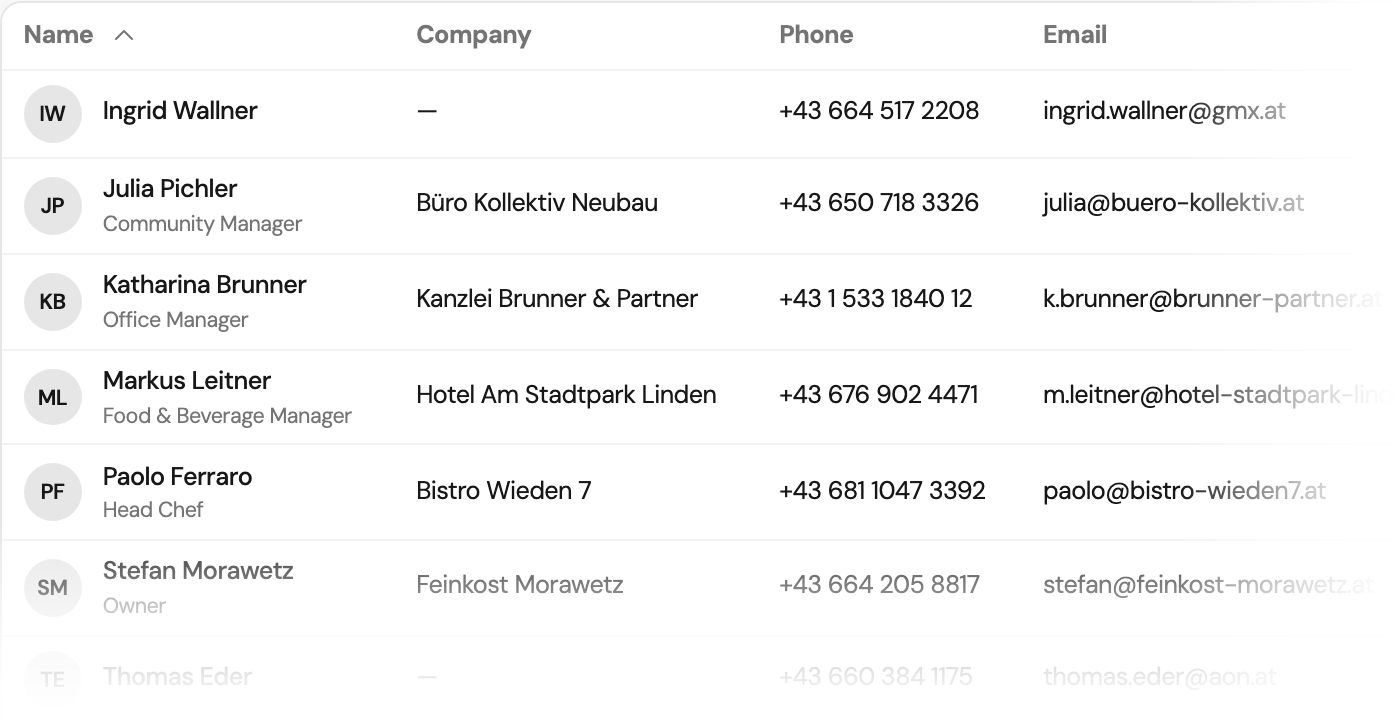
People
Keep every contact person on record
Store a name, job title, email address, postal address and up to ten phone numbers for each person, and link the person to their company. A status of new, active or inactive shows where each contact stands.
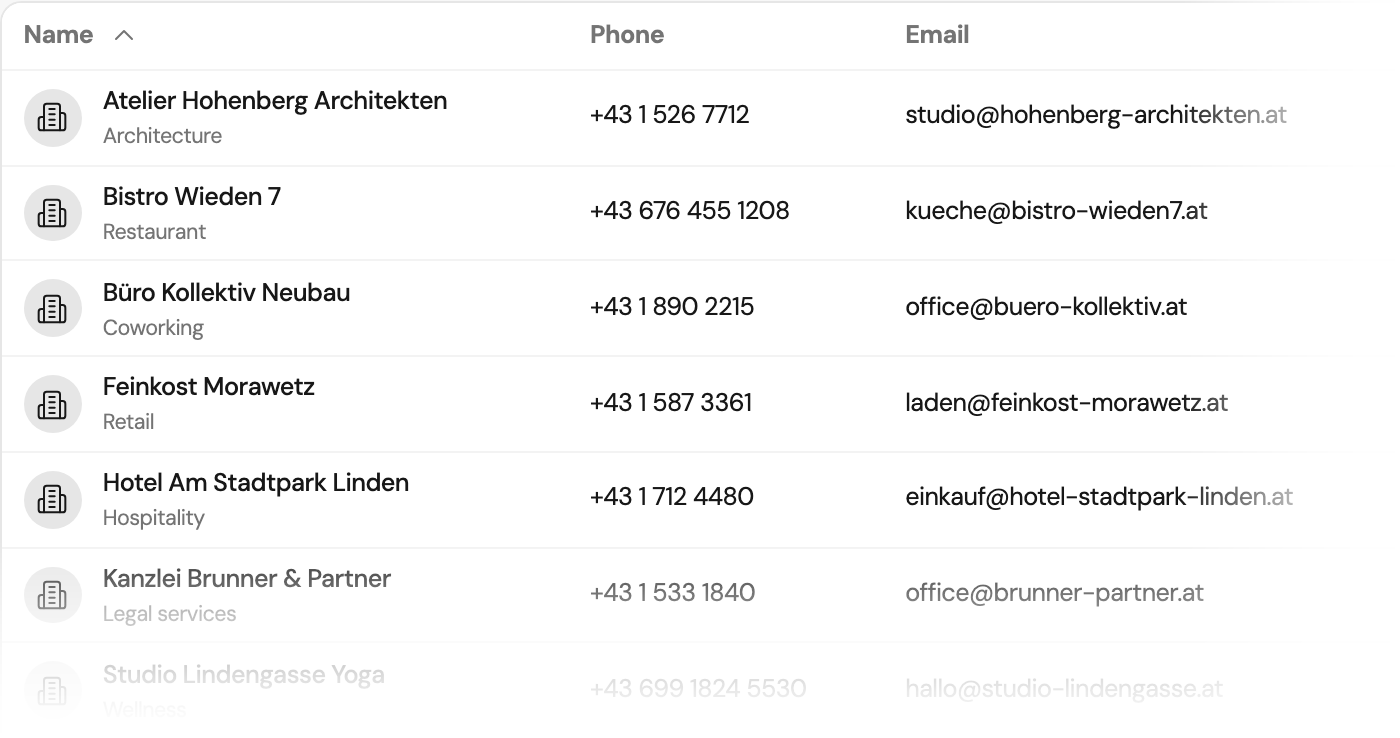
Companies
See the people who work for a company
A company is a customer with its own industry, address, phone numbers and links to its website, LinkedIn or Xing. Open the company to see everyone who works there.
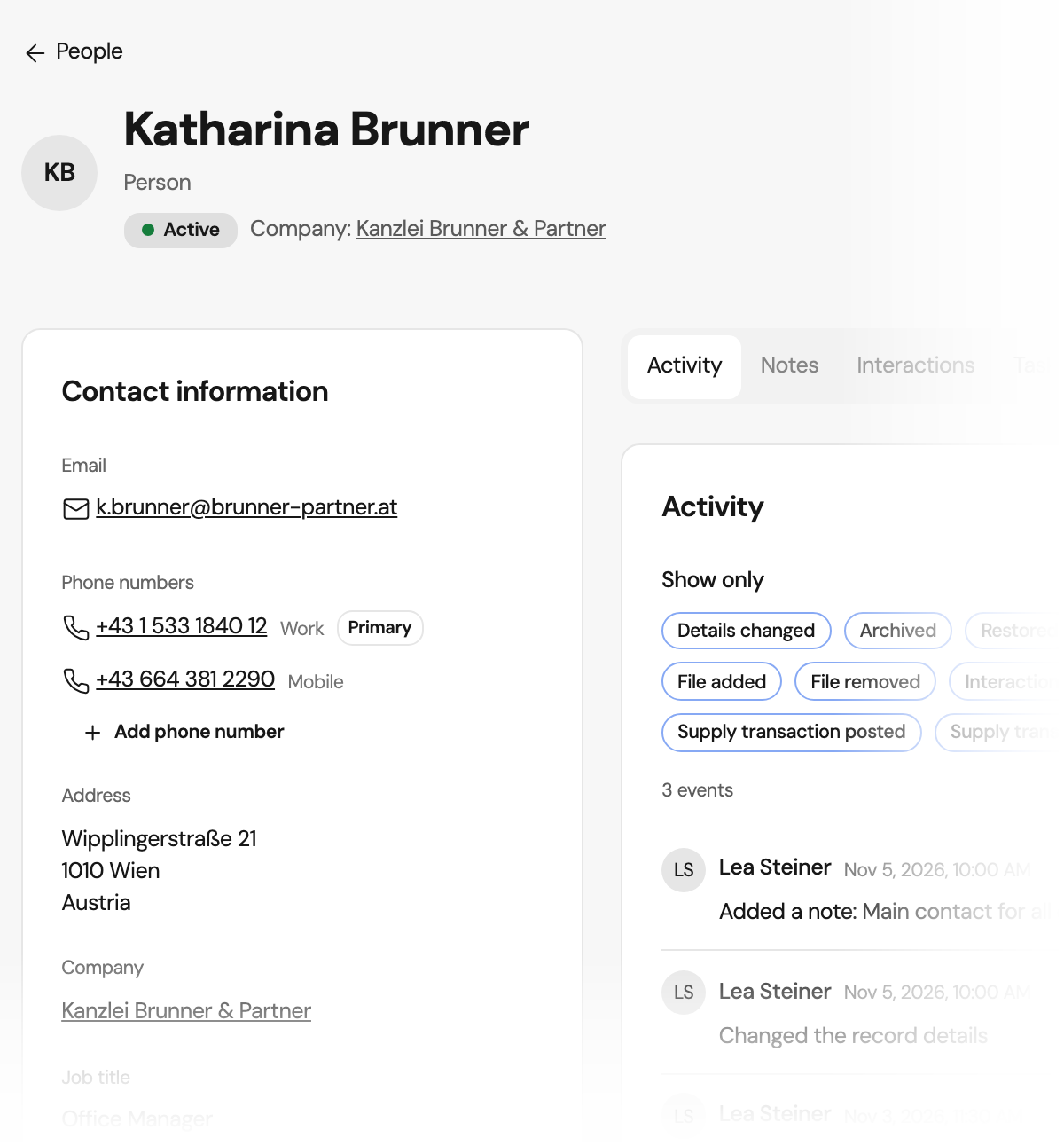
Contact details
Call the right number the first time
Label each number as mobile, work, home, fax or other and mark one as primary. Search your customers by name, email address or the digits of a phone number, and filter them by status or import.
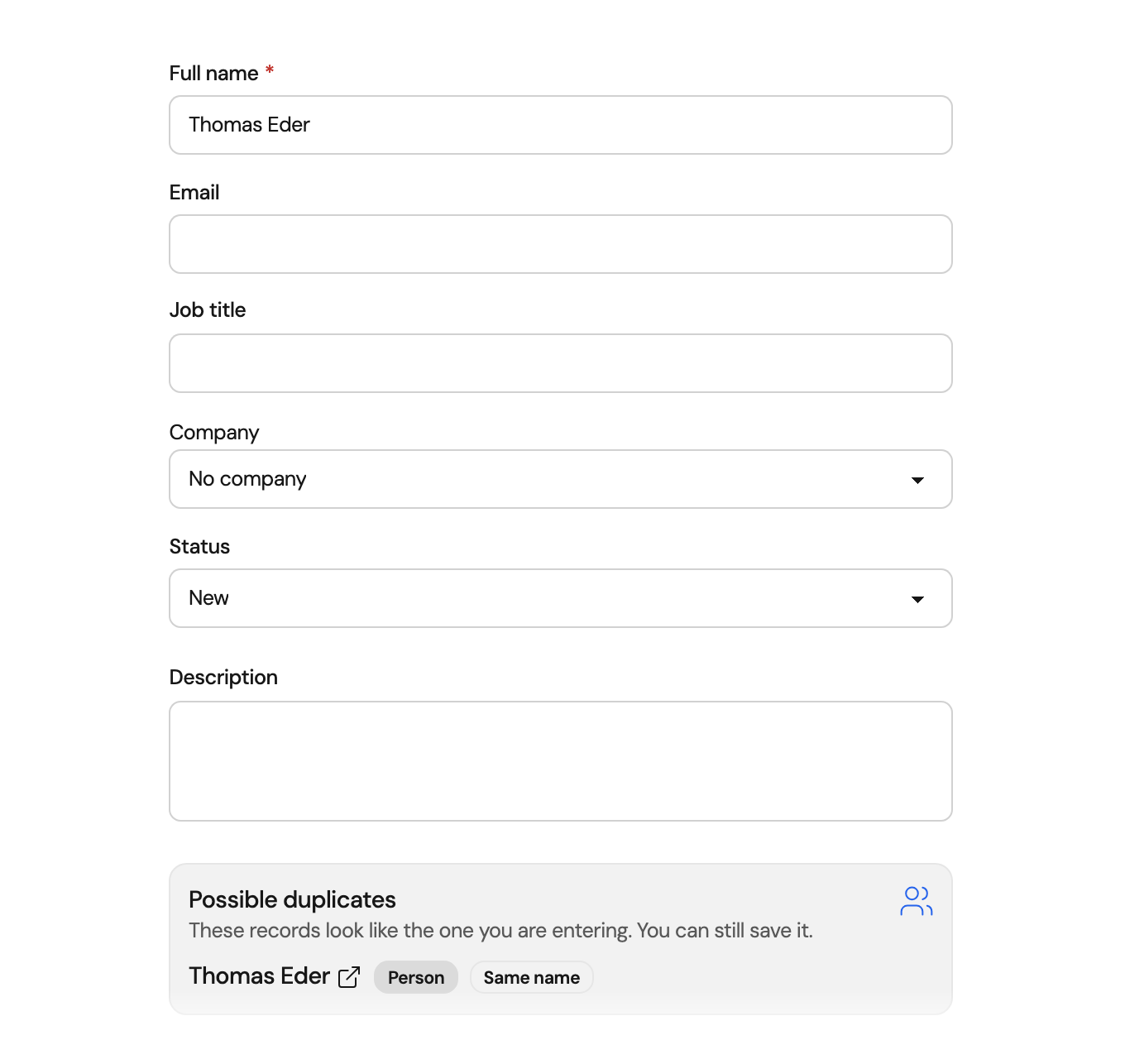
Duplicate check
See a possible duplicate before you save
While you enter a new customer, Orchido looks for customers with the same name, email address or phone number. You decide: open the existing one or save the new one anyway.
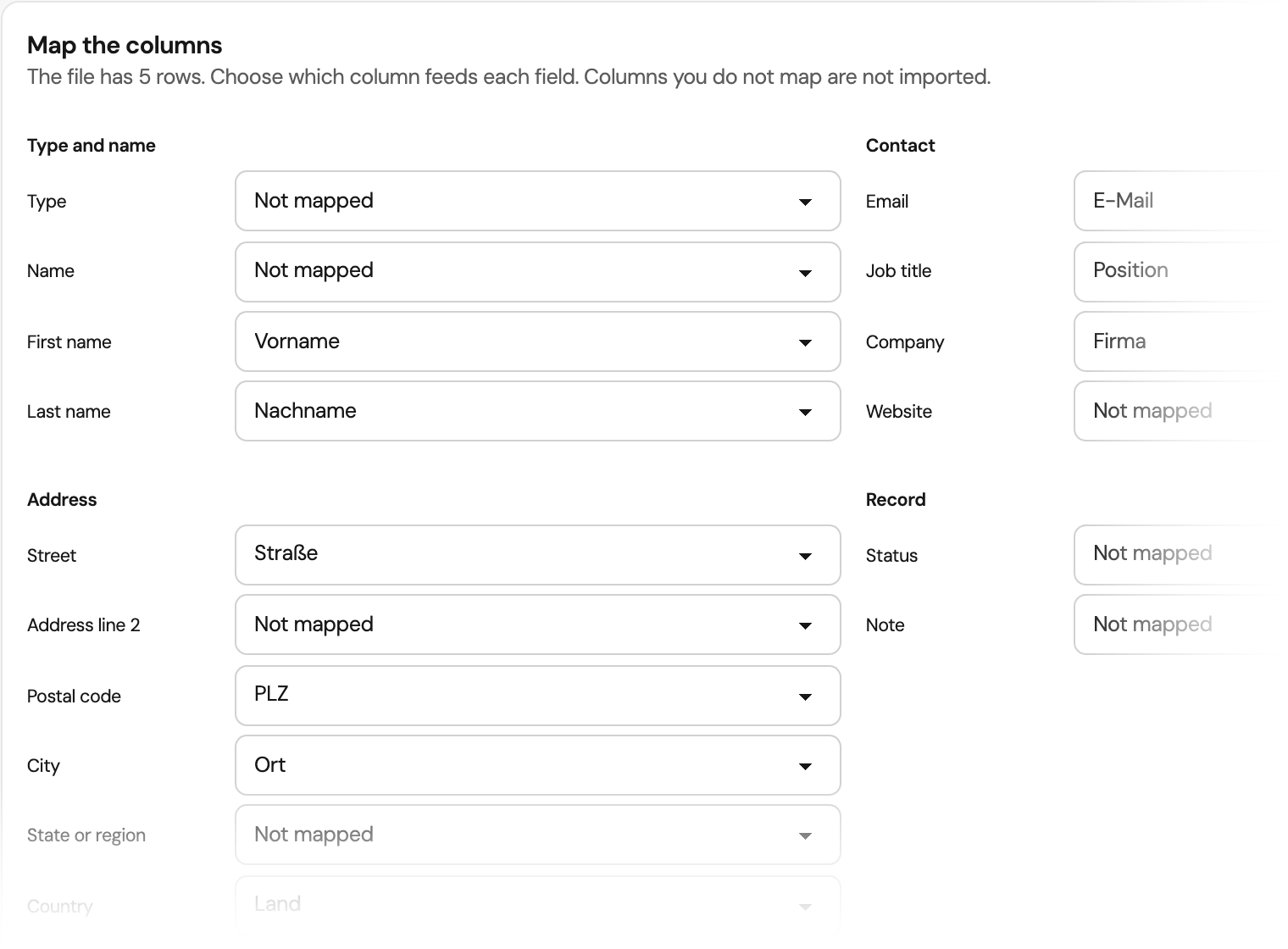
CSV import
Import your customer list from a CSV file
Save your list from Excel or another program as a CSV file and upload it. Orchido recognises German and English column headers such as Vorname, PLZ or E-Mail and maps them for you. A file can have up to 2,000 rows and 40 columns.
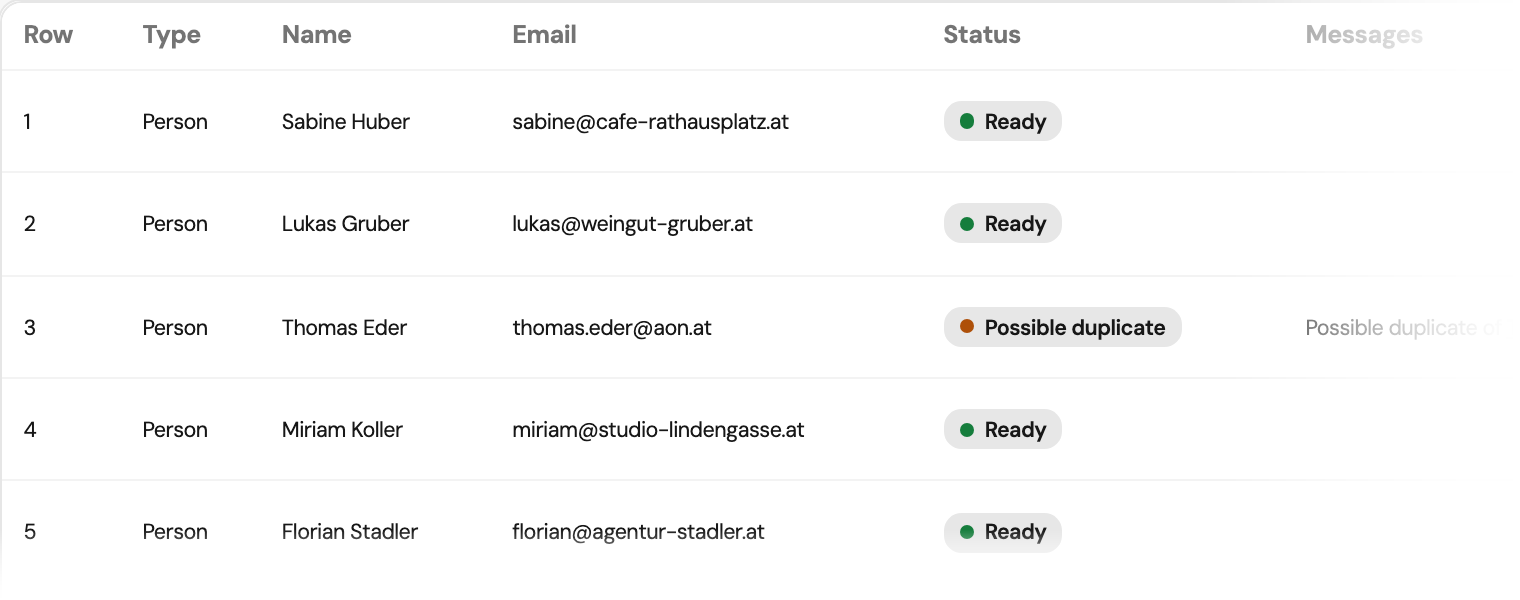
Bring your current customer list
Before you import, the review marks each row as ready or as a possible duplicate of a customer you already have.
No credit card required.
Customer history in one timeline
Notes, logged calls and every change stay with the customer, so the next person on your team knows what happened.
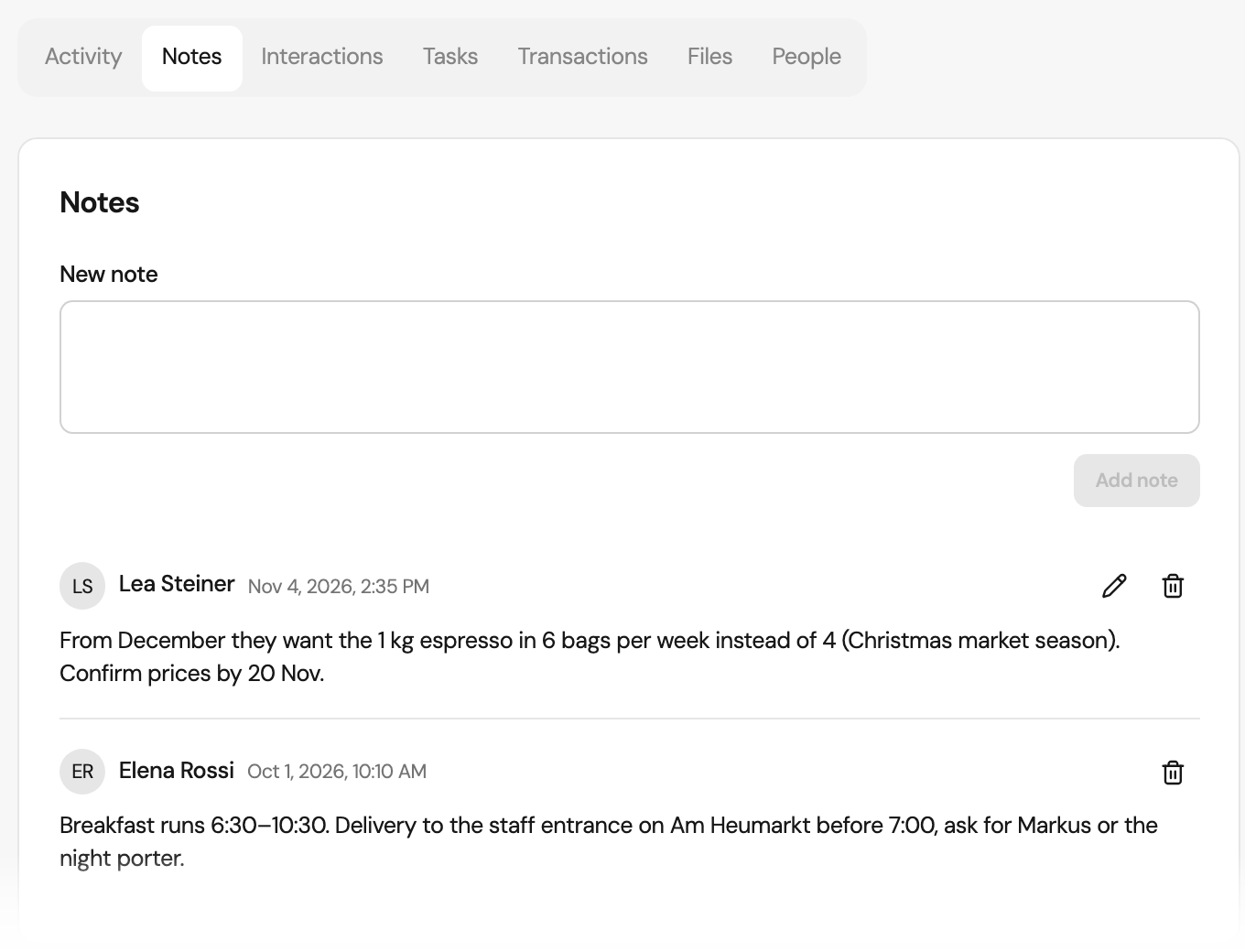
Notes
Write notes that keep their history
Anyone on your team can write a note on a customer. Only the author can change it, and Orchido keeps every earlier version. When a note is removed, its text is erased, but the customer still shows who removed it and why.
Calls and meetings
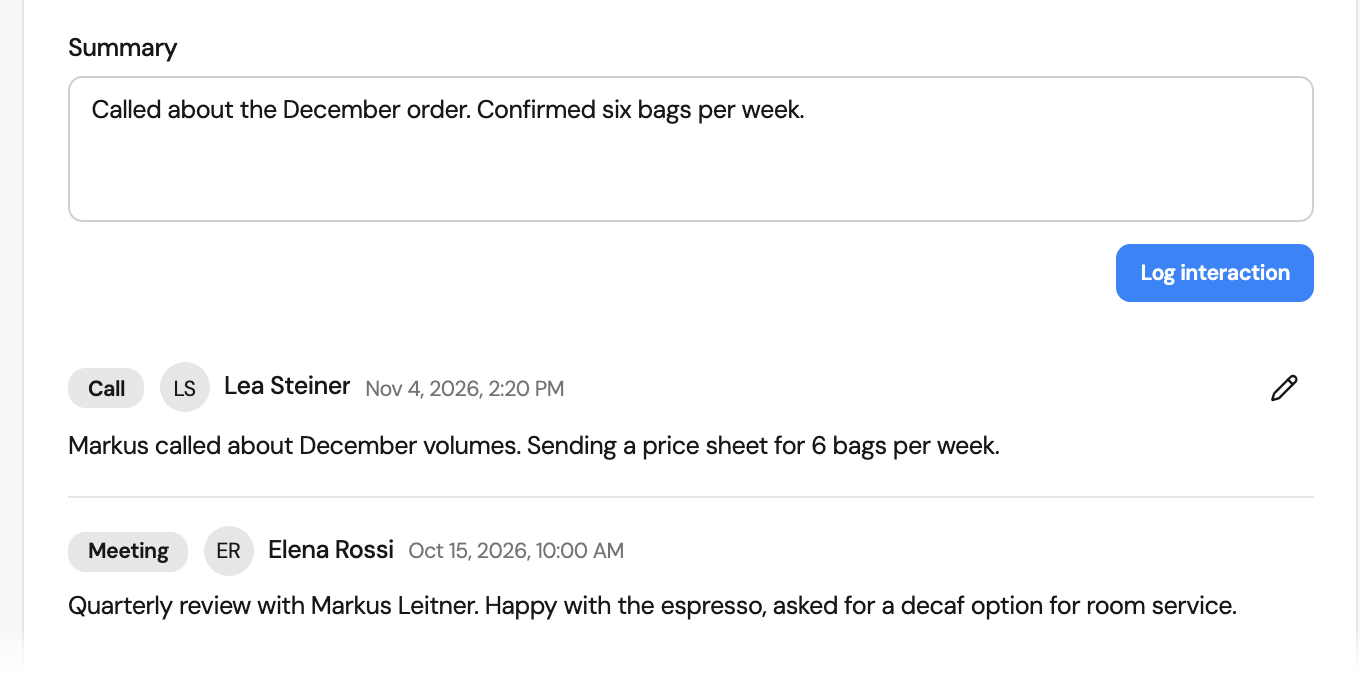
Log calls, emails and meetings
Record a call, an email, a meeting or another contact with its date and a short summary. A removed entry keeps a note of who removed it and why. Orchido does not place the call or send the email.
Activity
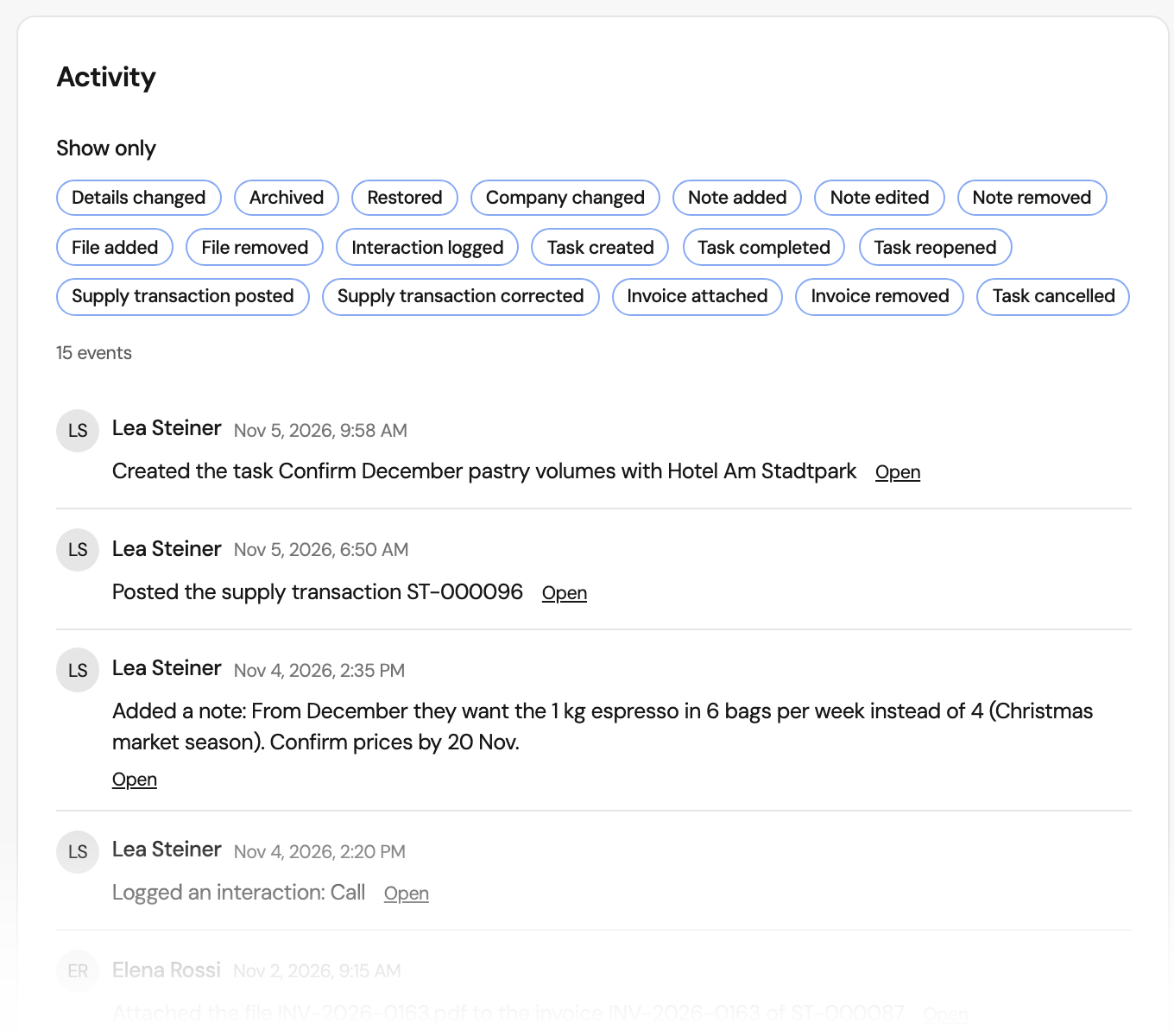
Read everything that happened with a customer
The activity timeline lists notes, files, logged contacts, tasks, sales and attached invoices in order. Filter it by kind of event. A task can name a customer and then shows on that customer.
Record sales straight from stock
Sales, gifts and samples for a customer leave your stock in the same step, and a sale shows on the customer record.
Record a sale
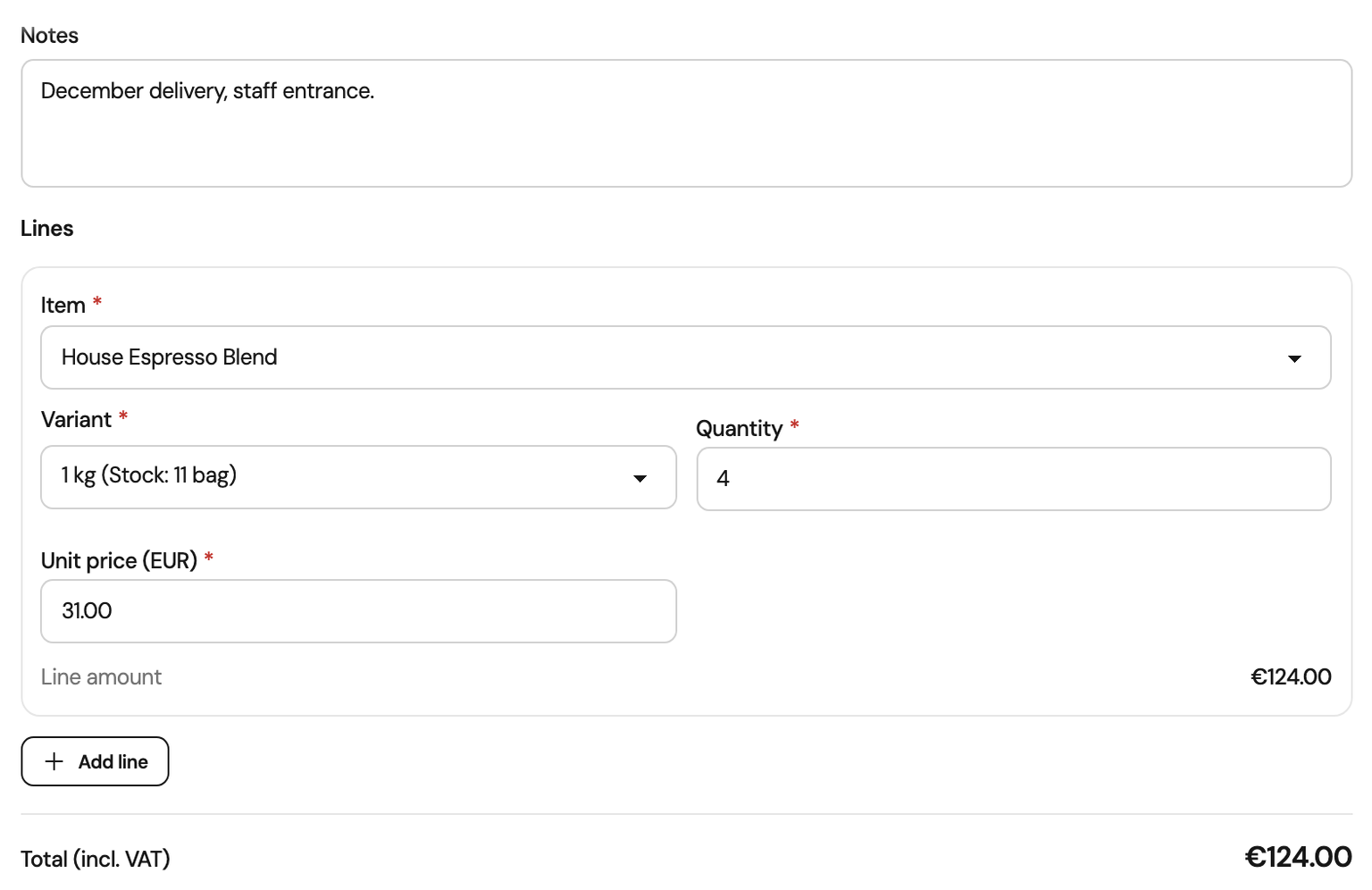
Record a sale and take it from stock
Choose the customer, the purpose and the items. A sale needs a unit price on every line, and Orchido adds up the total. Posting takes each line out of stock and is refused when there is not enough on hand.
Sales by customer
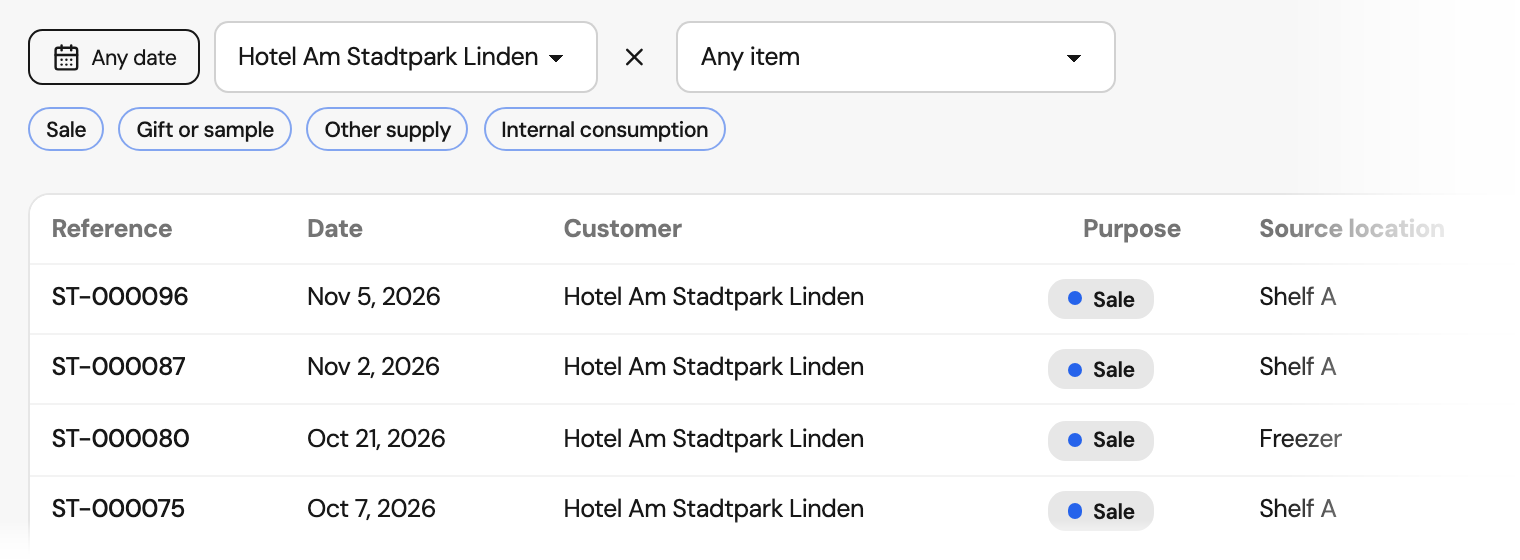
Find every delivery to one customer
Filter sales, gifts and samples by customer, date, item or purpose. Each entry shows its reference, date, purpose and the location the stock came from.
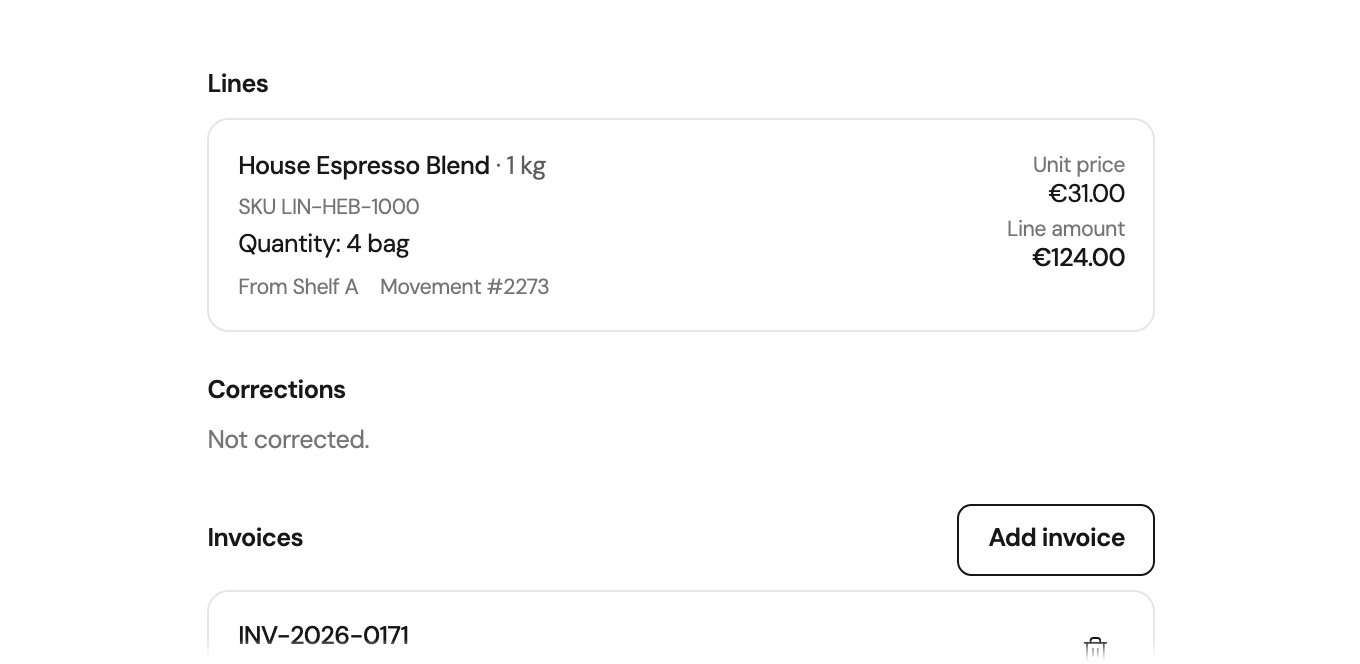
Invoice references
Link the invoice you issued
Add a reference to the invoice from your accounting software: a label such as the invoice number, and if you like a link or the document. Orchido does not create or send invoices.
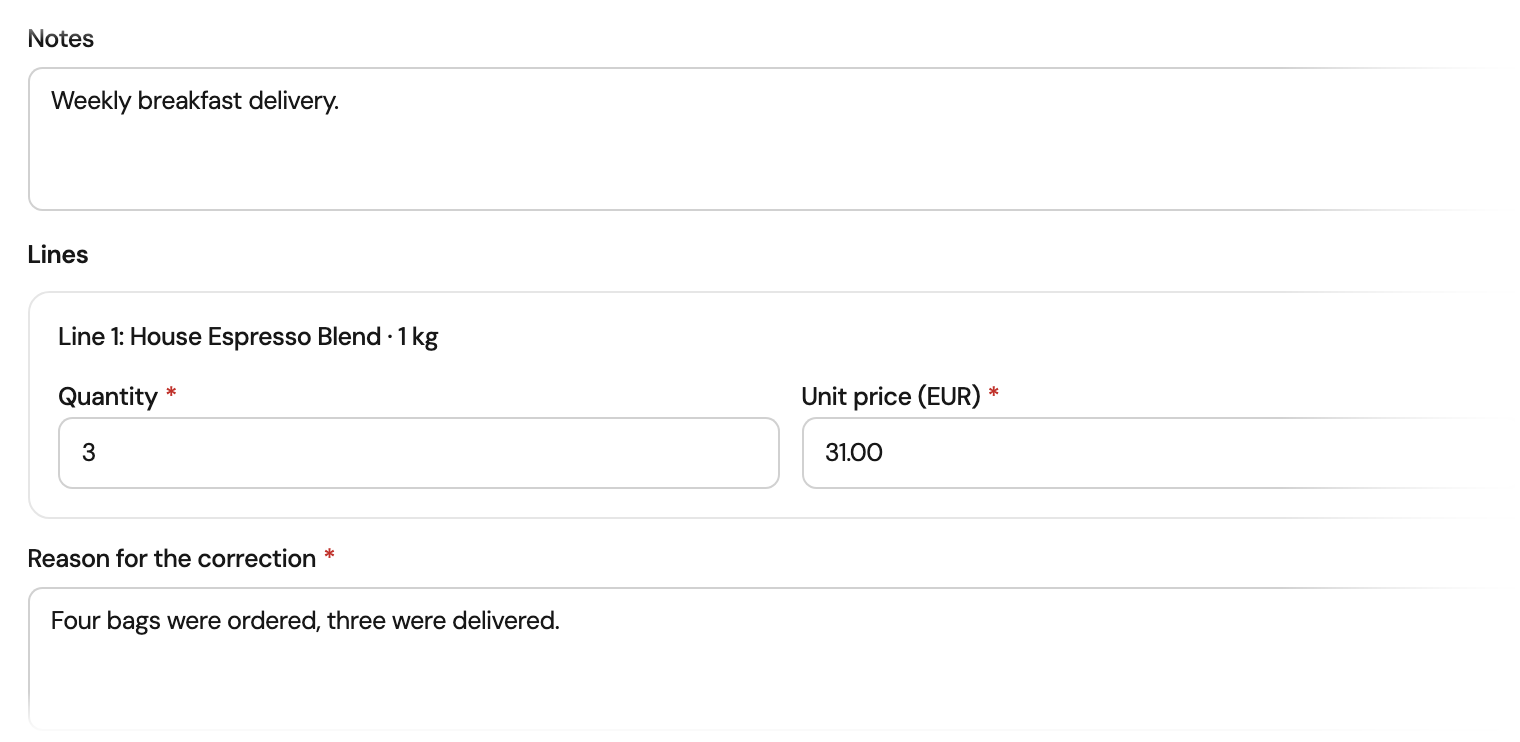
Corrections
Correct a delivery and keep the original
A posted entry is never overwritten. Correct or void it with a reason, and Orchido keeps every version. By default, department leads and owners correct or void entries. Only an owner can keep the stock unchanged, or settle a correction after the stock was counted since.
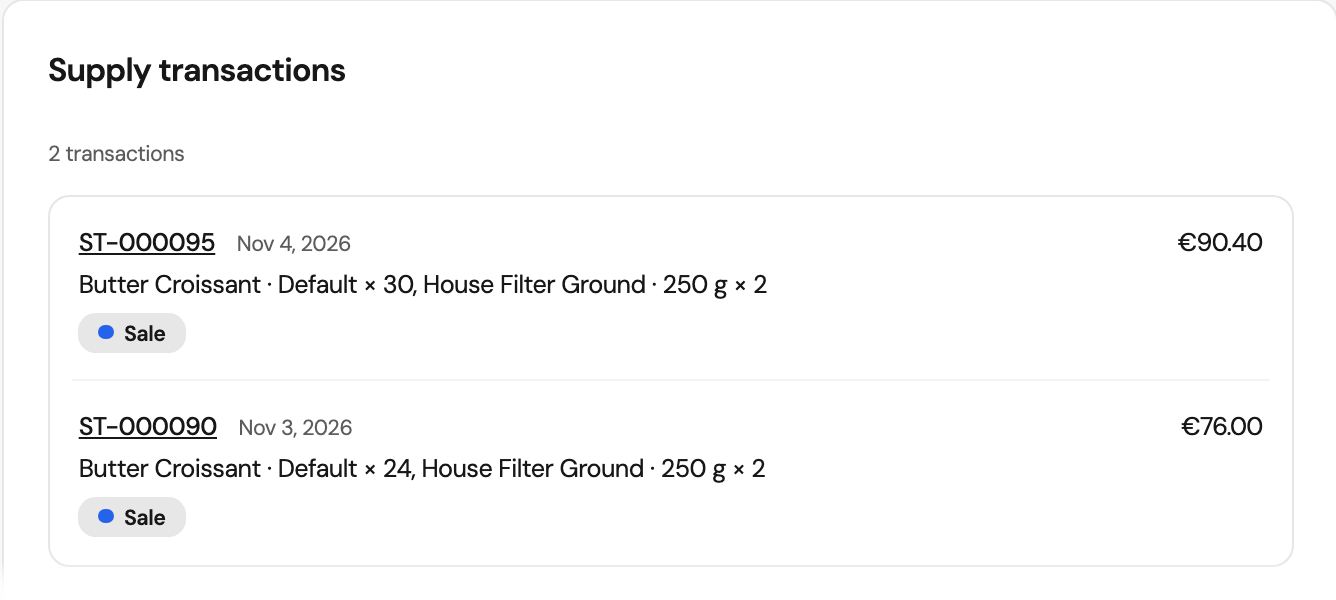
Sales history
See what each customer bought
The transactions tab on a customer lists every sale with its date, items and amount, so you see at a glance what a customer receives.
More in the customer database
Umlauts from Excel
A CSV file saved from Excel keeps its umlauts, whether it is stored as UTF-8 or Windows-1252.
Files on customers
Attach contracts, photos or delivery notes to a customer or to a sale.
Export one customer
Download a customer with notes, logged contacts and activity as a JSON file.
Questions about the customer database
Is Orchido a CRM?
Can I import contacts from Excel?
What happens with duplicate customers?
Does Orchido create invoices?
How does a sale change my stock?
Does Orchido calculate VAT or convert currencies?
Which plan includes the customer database?
Who can archive, import or delete customers?
Can I export my customer list?
Can the AI assistant work with customers?
Add a customer and record a sale
Set up one customer, then record what you delivered to them.
No credit card required.
- Add a customer. Enter a company or a person with a phone number.
- Record a sale. Choose an item, enter the price and post it from stock.