
AI assistant
AI assistant for inventory and tasks that asks first
Orchido turns one sentence into a stock correction, a task or a time-off request. You see the exact values first, and nothing is saved until you confirm.
14 days free trial.No credit card.
Professional plan. The free trial includes it.
One sentence instead of three forms
For a small business, the assistant fills in the same records you would otherwise enter by hand, in the places your team already uses.
By hand
- Hand out a job: Open Tasks, type the title, pick the colleague, set the due date and the priority.
- Correct a count: Find the item, open the variant, enter the counted quantity and a reason.
- Ask for a day off: Open the time-off form, choose the type and the day, then submit it.
With the assistant
- Hand out a job: Write one sentence with the name, check the values and confirm.
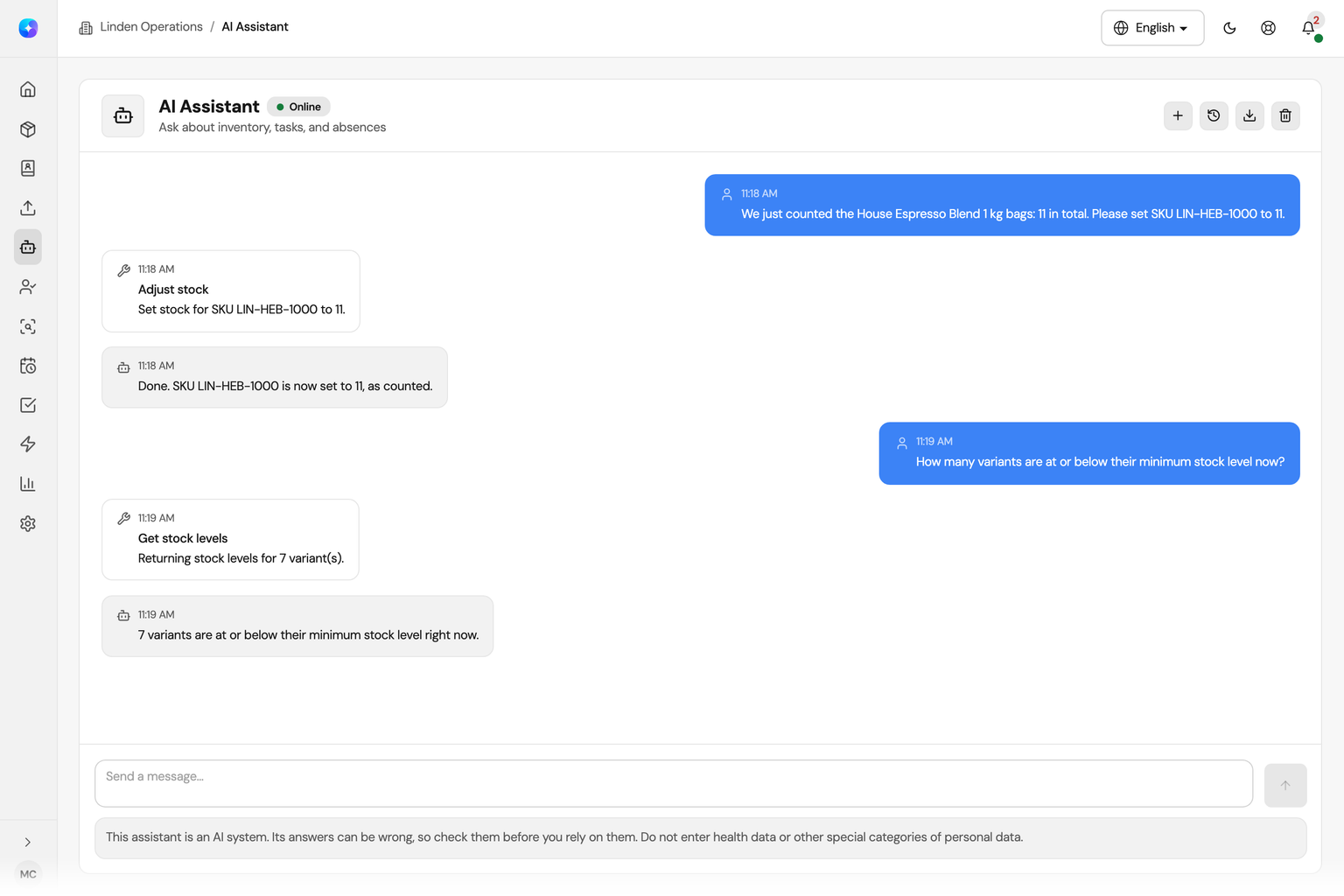
- Correct a count: Name the SKU and the counted quantity, then confirm.
- Ask for a day off: Name the day and confirm. Your request stays pending until an authorized reviewer decides. If your role manages time off, it is saved as approved.
Confirmation
Nothing changes until you say yes
Before the assistant creates or changes anything, Orchido shows you the values it will save: the SKU and the quantity, the task title and the assignee, the dates. Confirm, and Orchido saves the record. Cancel, and nothing happens. An unanswered request expires after a few minutes, and a double click still saves only once.
AI in daily operations, with your approval
Three everyday jobs, each from one sentence to a saved record your team already knows.
Stock
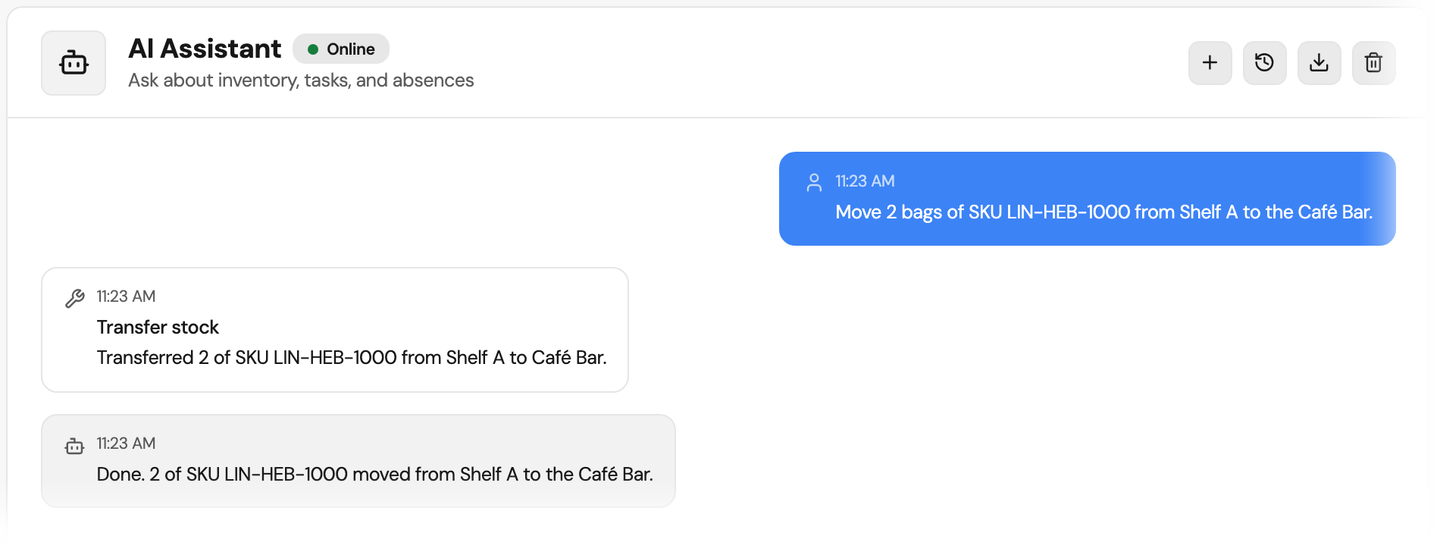
Correct a count by SKU
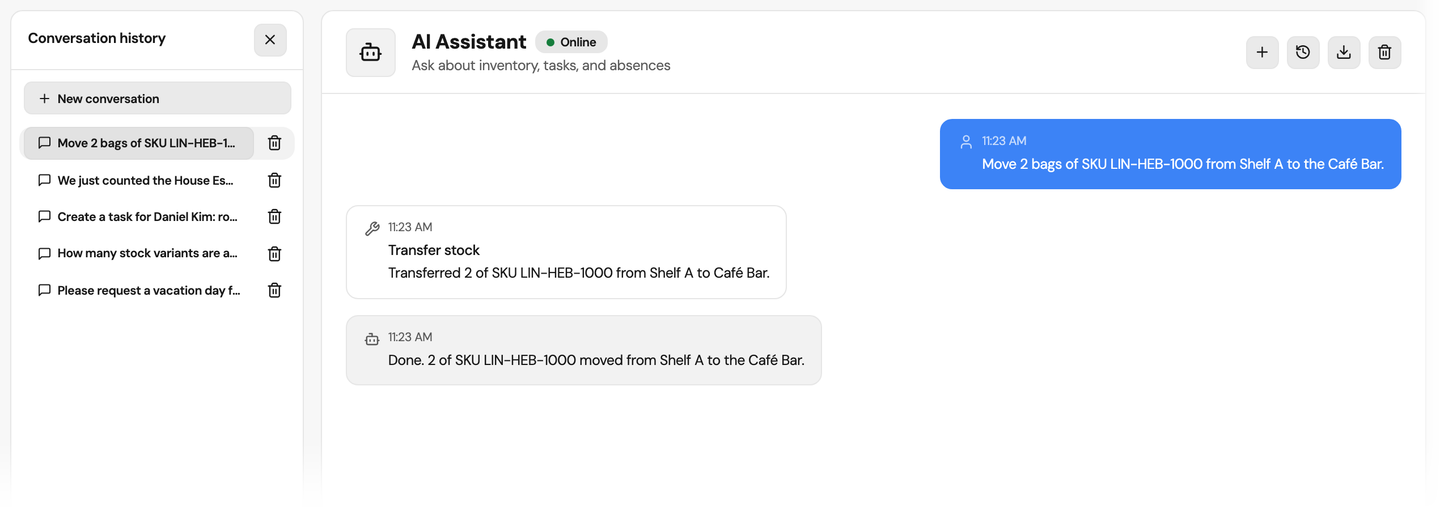
Tell the assistant the SKU and what you counted, and it sets that exact quantity with your reason. Name a SKU and two locations, and it moves stock between them. Each change is a stock movement like one made by hand, and the audit trail notes the assistant.
Tasks
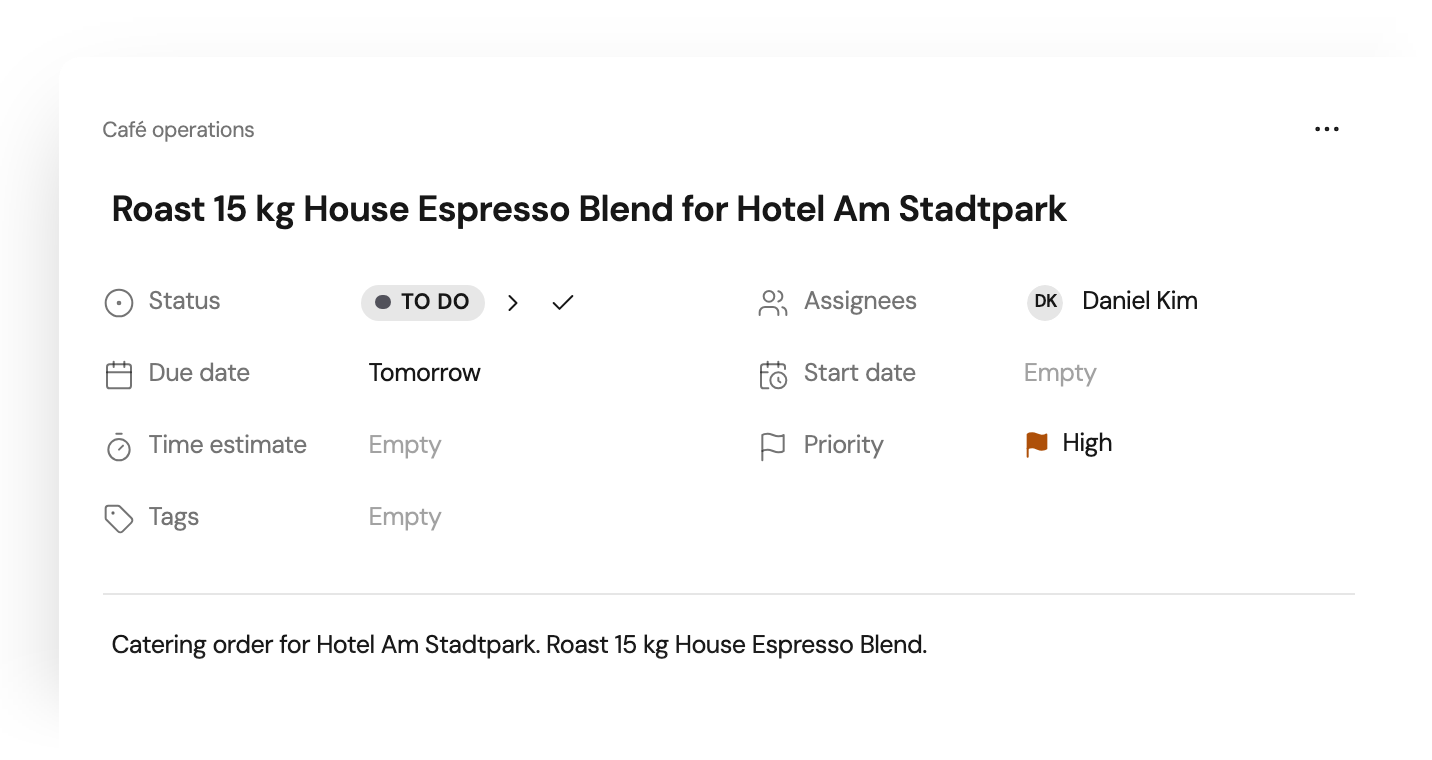
Hand out a job in one sentence
Name the colleague, the job and the due date, and the assistant creates the task and assigns it. An unknown name is refused with close matches instead of a guess. The result is an ordinary task on the board, with assignee, due date, priority and description.
Time off
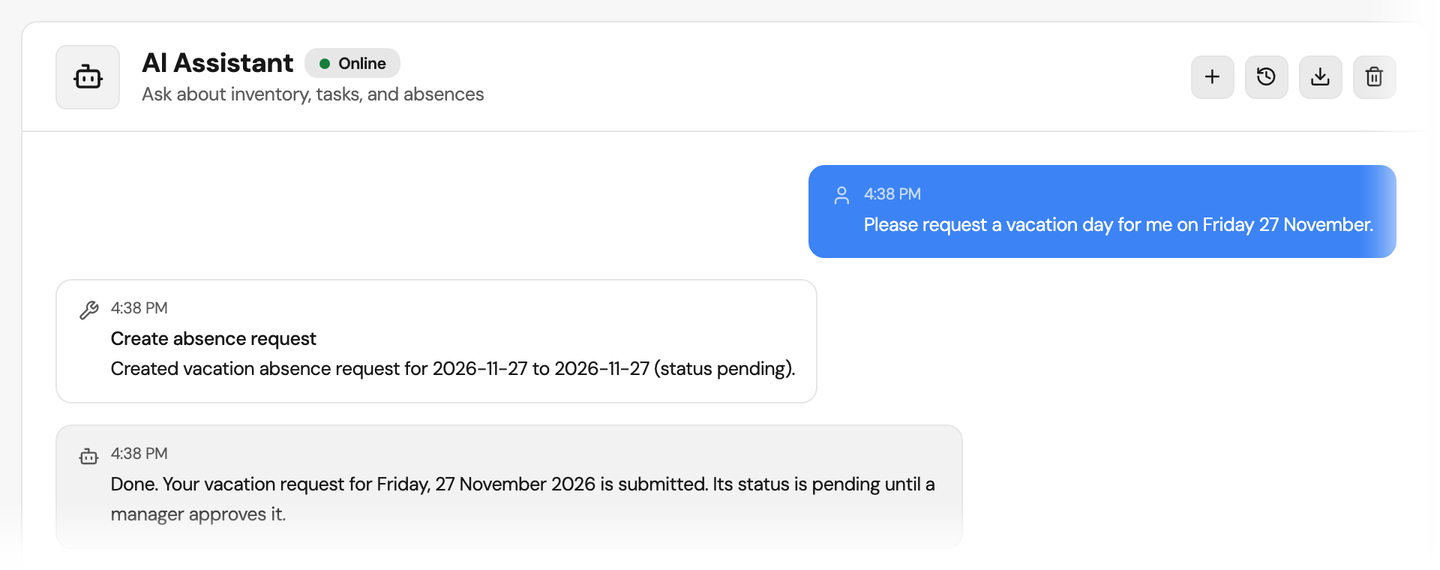
Request a day off from the chat
Ask for full days away and the assistant files the request. Your request stays pending until an authorized reviewer decides in Attendance. If your role manages time off, it is saved as approved, and only then can you file one for a colleague. Requests for part of a day stay in the time-off form.
Try the assistant with your own records
The 14-day trial runs on the Professional plan, so the assistant is there from the first day. Conversations stay in a history you can reopen or delete.
No credit card required.
All eleven tools
Inventory
Set a counted quantity by SKU, move stock between locations and create an item in an existing category, while lookups return only counts, up to 20. Editing an item or drafting a purchase order works by its id, which lookups do not return, so the assistant knows it for an item created in the same conversation or when you give it, and a person still approves the order.
Tasks
Create a task for yourself or a colleague by name, and count open tasks, up to 20. Marking a task as done works by its id, for a task created in the same conversation or one whose id you give.
Time off
File full days away for yourself. If your role manages time off, the request is saved as approved, and you can file one for a colleague.
Your permissions still apply
Your role sets the reach
The assistant is offered only the actions your role allows, and it checks your permission again at every step.
One organization
Every lookup and every change stays inside your organization’s data.
Names are matched, never invented
Unknown categories, locations or colleagues are refused instead of being created along the way.
Your questions about the assistant
What can the AI assistant do for a small business?
Does the assistant change data without asking?
Can the assistant tell me which items are low on stock?
Which plan includes the AI assistant?
How much can we use the assistant each month?
Where does our data go when we use the assistant?
Can the assistant act for a colleague?
Can the assistant read documents?
Start with one sentence
Create a free account, give the assistant one stock count or one task, and confirm it.
No credit card required.
- Start the trial. The assistant is included for 14 days.
- Name a SKU and a count. Check the values and confirm.