
Shift planning
Shift schedule templates for small teams
Set up shift schedule templates once, assign them to employees from a start date and change a single day when it runs differently.
14 days free trial.No credit card.
Shift schedule templates instead of a spreadsheet rota
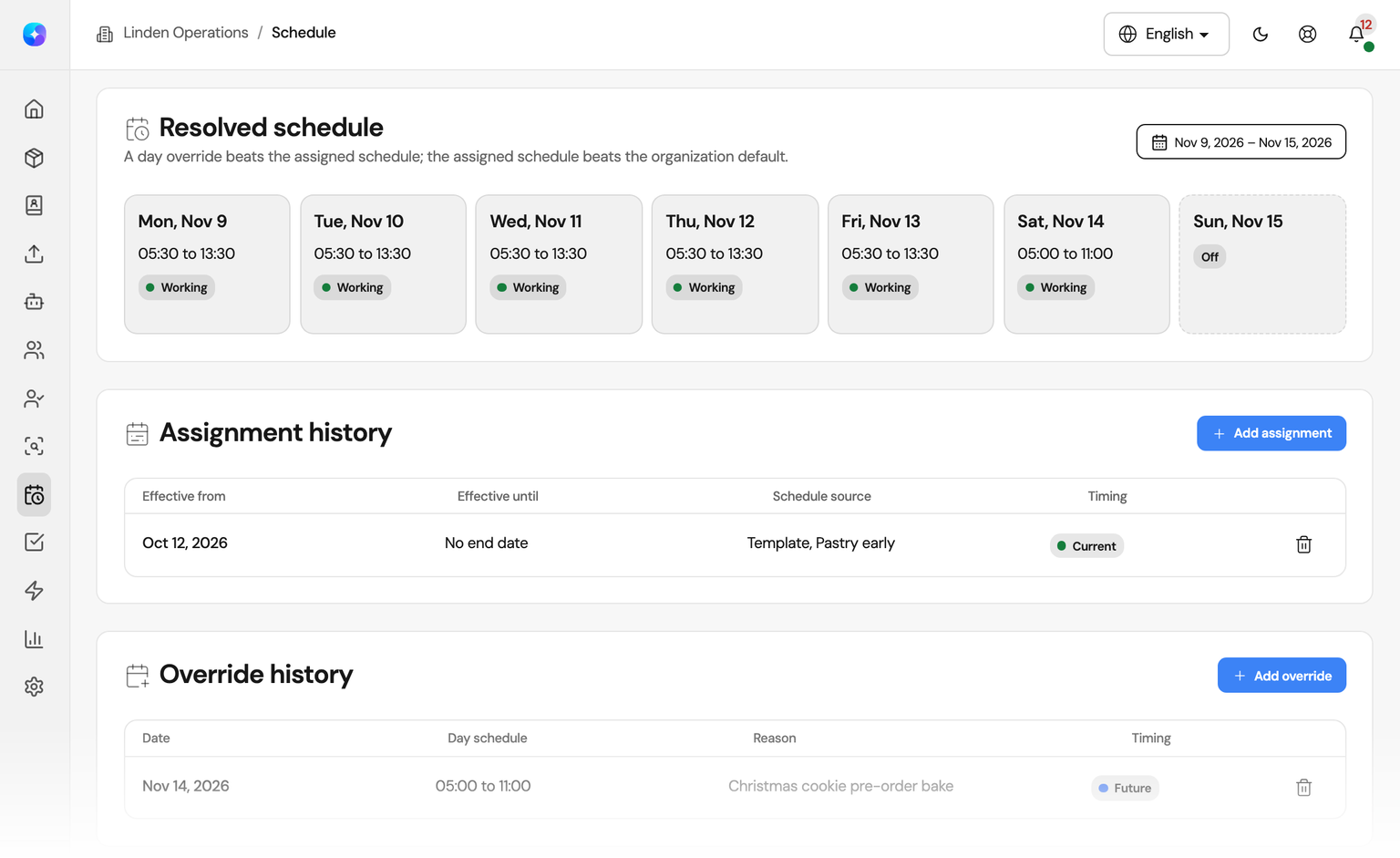
A spreadsheet holds this week. Orchido holds the pattern, the date it starts and every day that differs.
With a spreadsheet
- The rota is copied and edited again every week.
- A one-day change sits in a comment or gets lost.
- Nobody can say which version is the current one.
With shift planning in Orchido
- An assignment applies from its start date until a new one replaces it.
- A day override changes exactly one day and keeps its reason.
- Every employee sees their own work schedule.
Shift planning with reusable templates
Describe a shift once, assign it from a date and handle the exceptions day by day.
Shift templates
Set up recurring shifts once
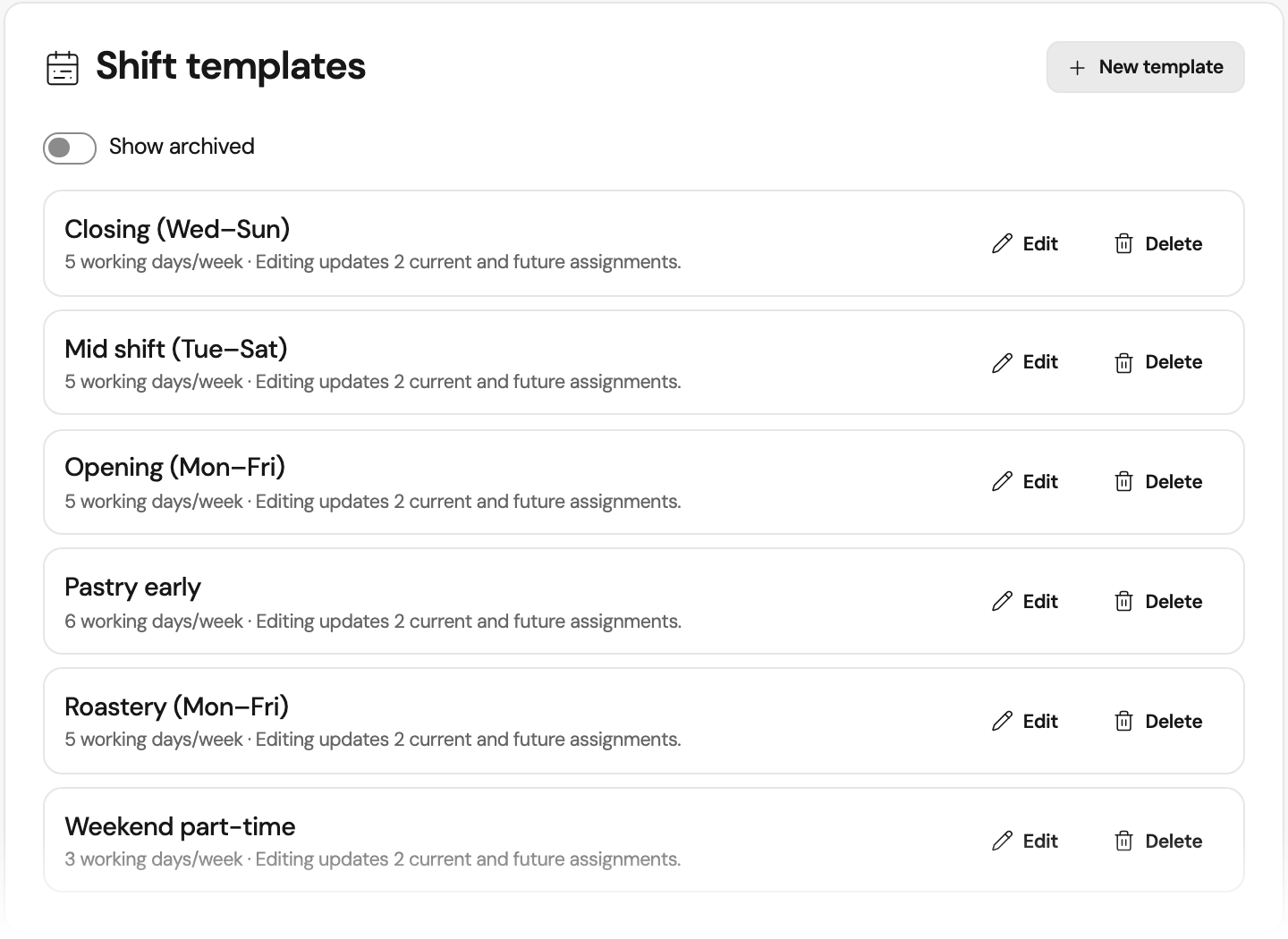
Create shift templates such as an opening shift, a closing shift or weekend part-time. Each template states its working days per week. Archive the templates you no longer use.
Weekly hours
Give each weekday its own hours
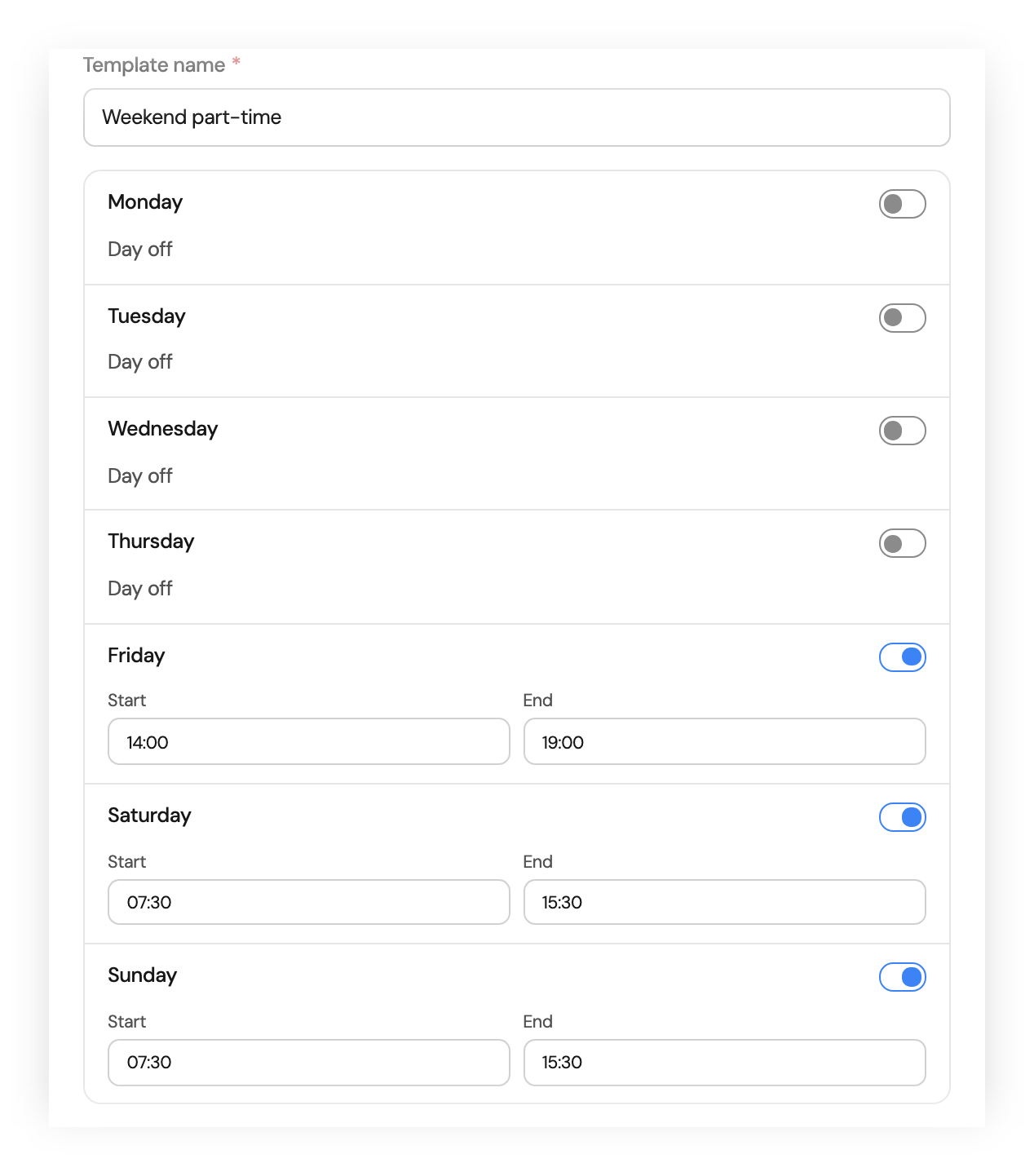
Switch each weekday on or off and enter a start and end time. When you change a template later, Orchido applies the new hours to its current and future assignments, and shows how many are affected before you save. Older, replaced assignments keep their hours.
Assignments
Assign a schedule from a start date
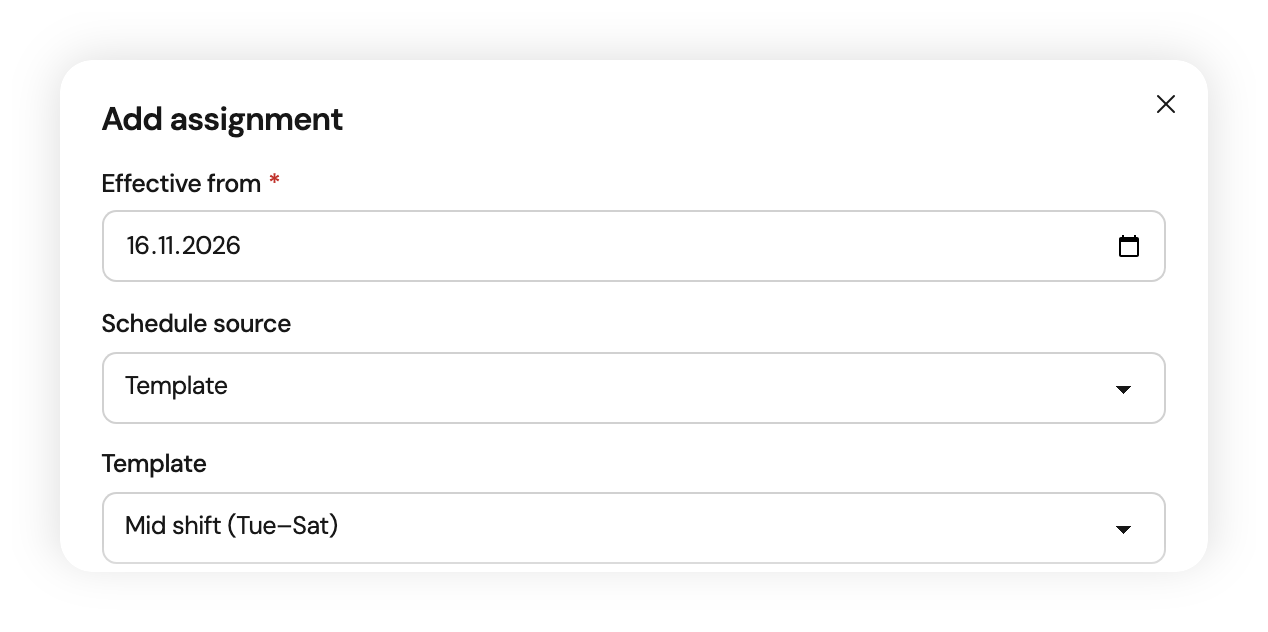
Give an employee a shift template, their own hours or the organization default, effective from a date. A change is a new assignment with a new start date, and the earlier one stays in the history. A rehired employee starts with a fresh schedule.
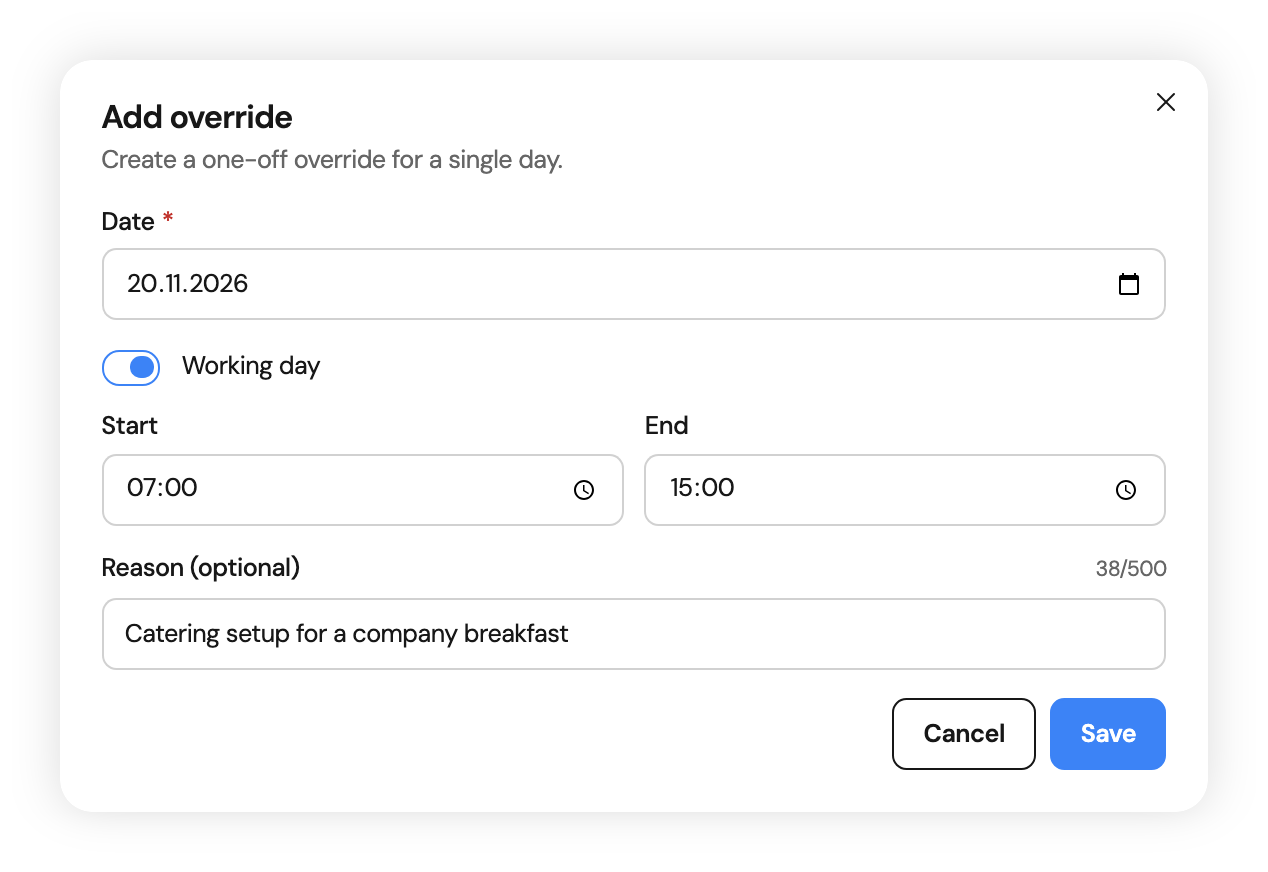
Day overrides
Plan one day differently
When one day runs differently, add a day override: other hours or a day off, with an optional reason. It applies to that date only and takes precedence over the assignment. Each employee has at most one override per day.
Build your first shift template
Try shift planning for 14 days in your own organization.
No credit card required.
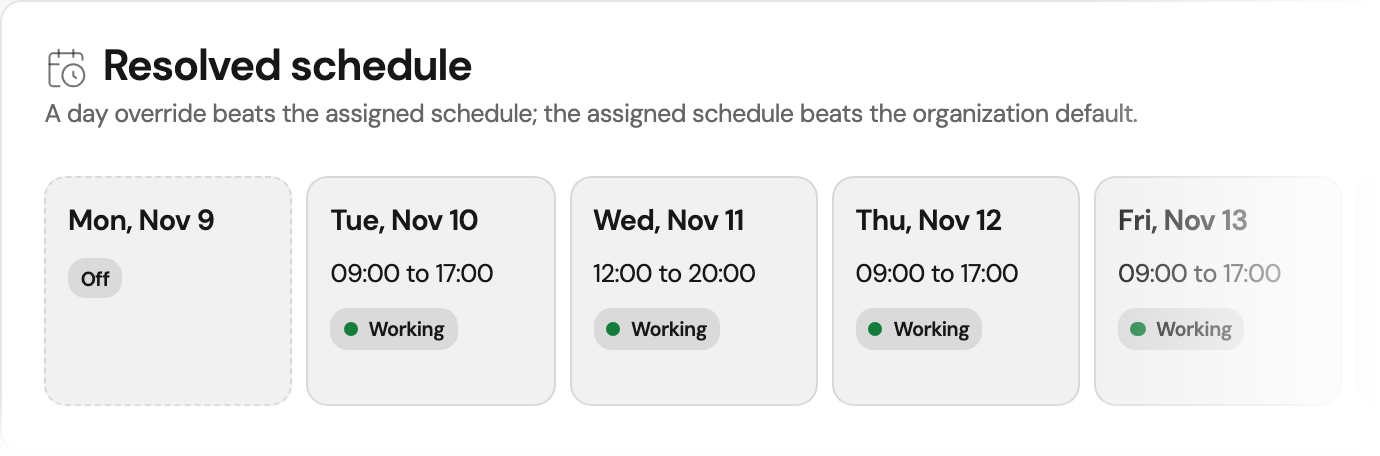
Read each employee’s shift schedule
Open any day of the week, switch between employees and follow every change in the history.
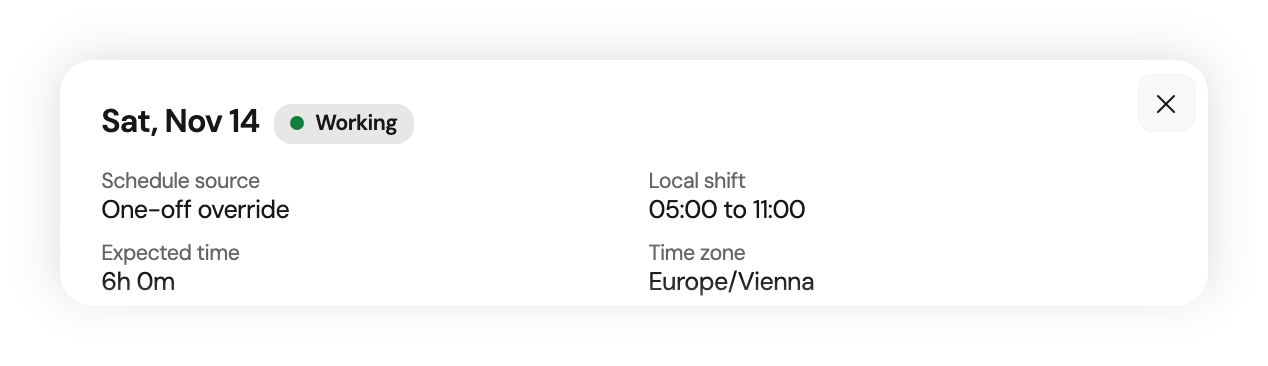
Day detail
See where the hours of a day come from
Open a day in the week view. Orchido shows its source, whether a day override, an assignment or the organization default, the shift in local time, the expected working time and the time zone that applies.
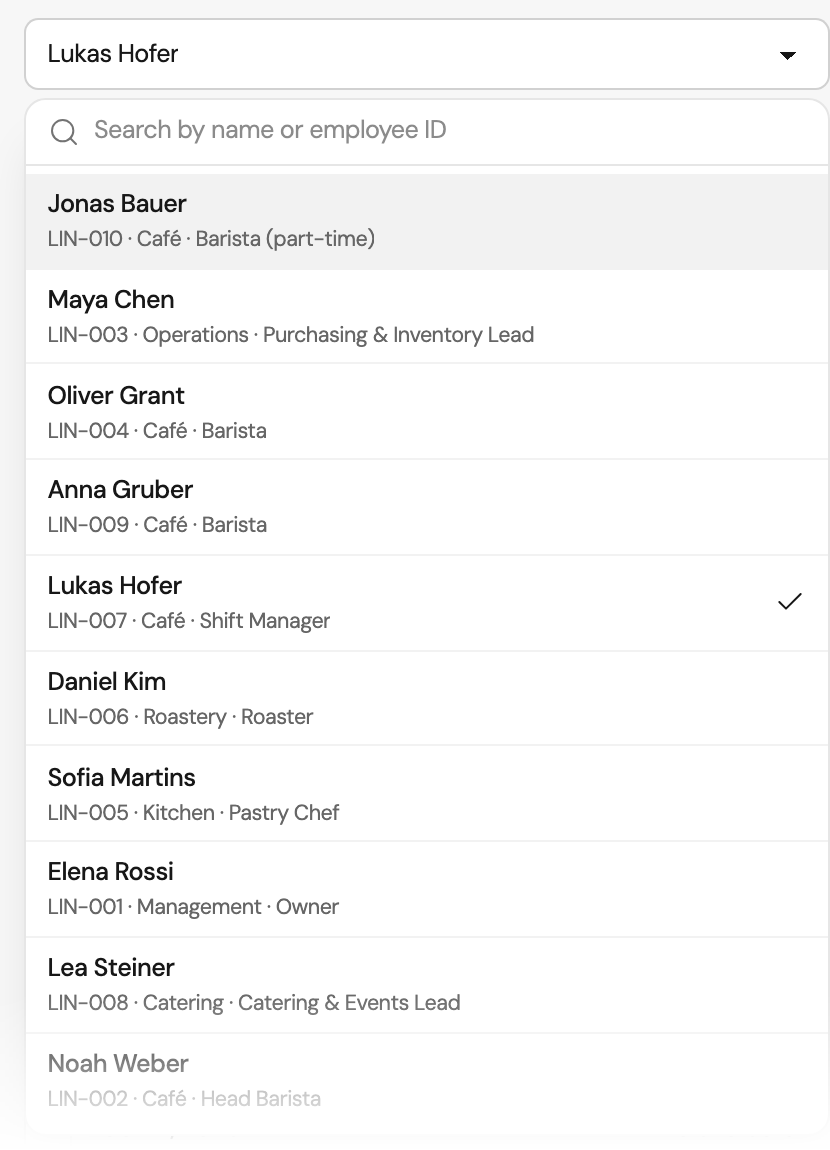
Employees
Open any employee’s work schedule
With access to all schedules, pick an employee from the list or search by name or employee ID. Members see their own week and history and cannot change them. By default the owner plans; with a custom role, others can plan too.
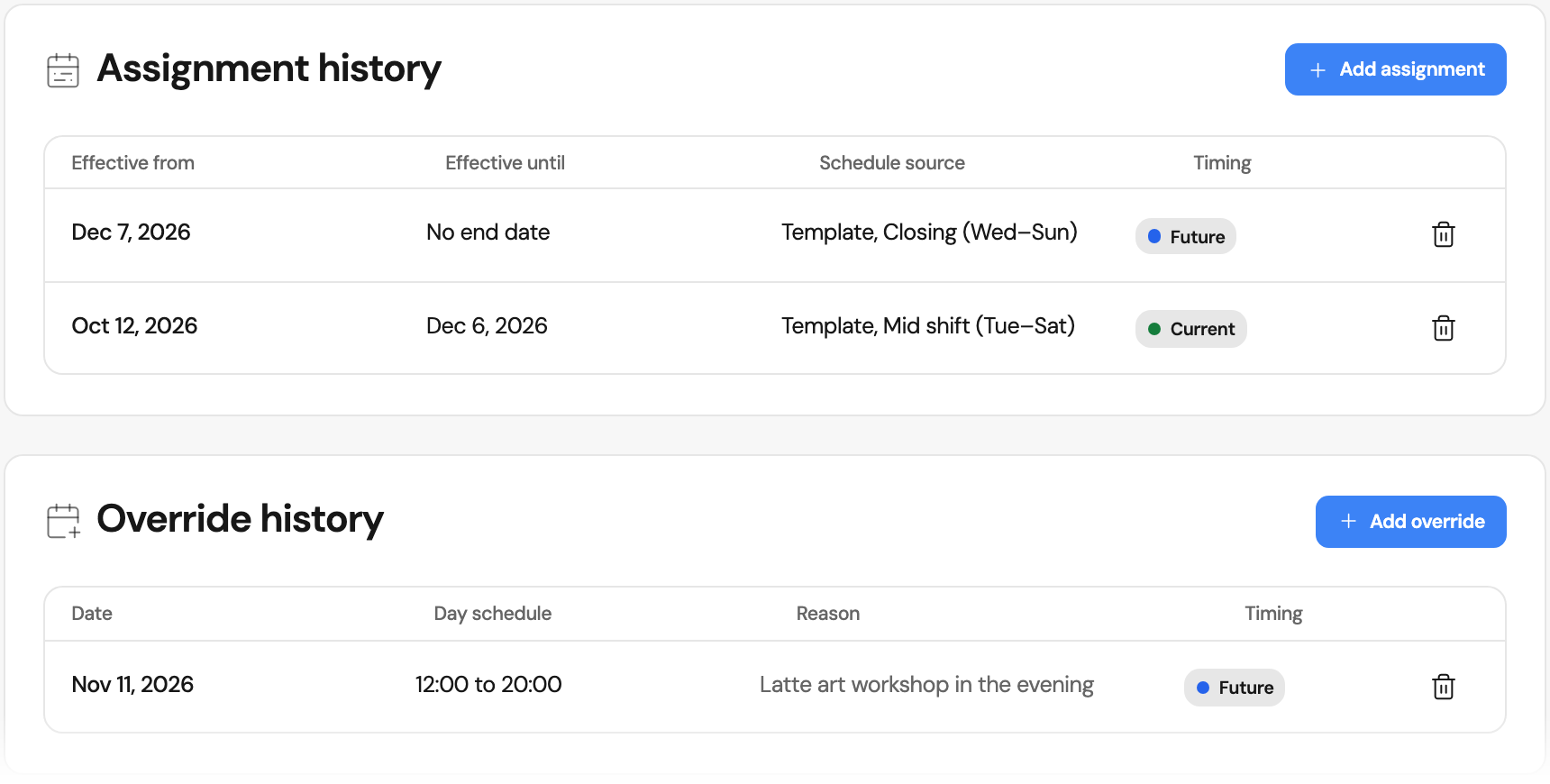
History
Every assignment and override with its dates
Below the week, every assignment is listed with its start and end, and every day override with its date, hours and reason. Each one is marked as past, current or future.
What shift planning in Orchido covers
Templates per weekday
Working days and hours per weekday, reused for many employees.
Effective from a date
Assignments start on a date. Earlier ones stay in the history.
On every plan
Shift planning is part of every plan, Starter included.
Questions about employee shift planning
How do I create a shift schedule with templates?
Can employees see their own shift schedule?
Is there a shift planning app?
Can employees swap shifts?
Does Orchido build the staff rota automatically?
What happens when I change a shift template?
How does the schedule relate to recorded working time?
How much does shift planning cost?
Does Orchido suit employee shift planning for small teams?
Plan one week as a test
Create a template, assign it and change one day.
No credit card required.
- Create a template. Enter the working days and hours of one shift.
- Assign and adjust. Assign the template to an employee, then add a day override.