
NFC check-in
NFC time tracking where your team works
With NFC time tracking in Orchido, your team checks in and out by scanning a tag at the place where work starts. A check-in scan opens a session in Attendance History, with the location of the tag, and the check-out scan closes it.
14 days free trial.No credit card.
NFC check-in is part of the Professional plan, and the free trial includes it. Tags are scanned with the Orchido app.
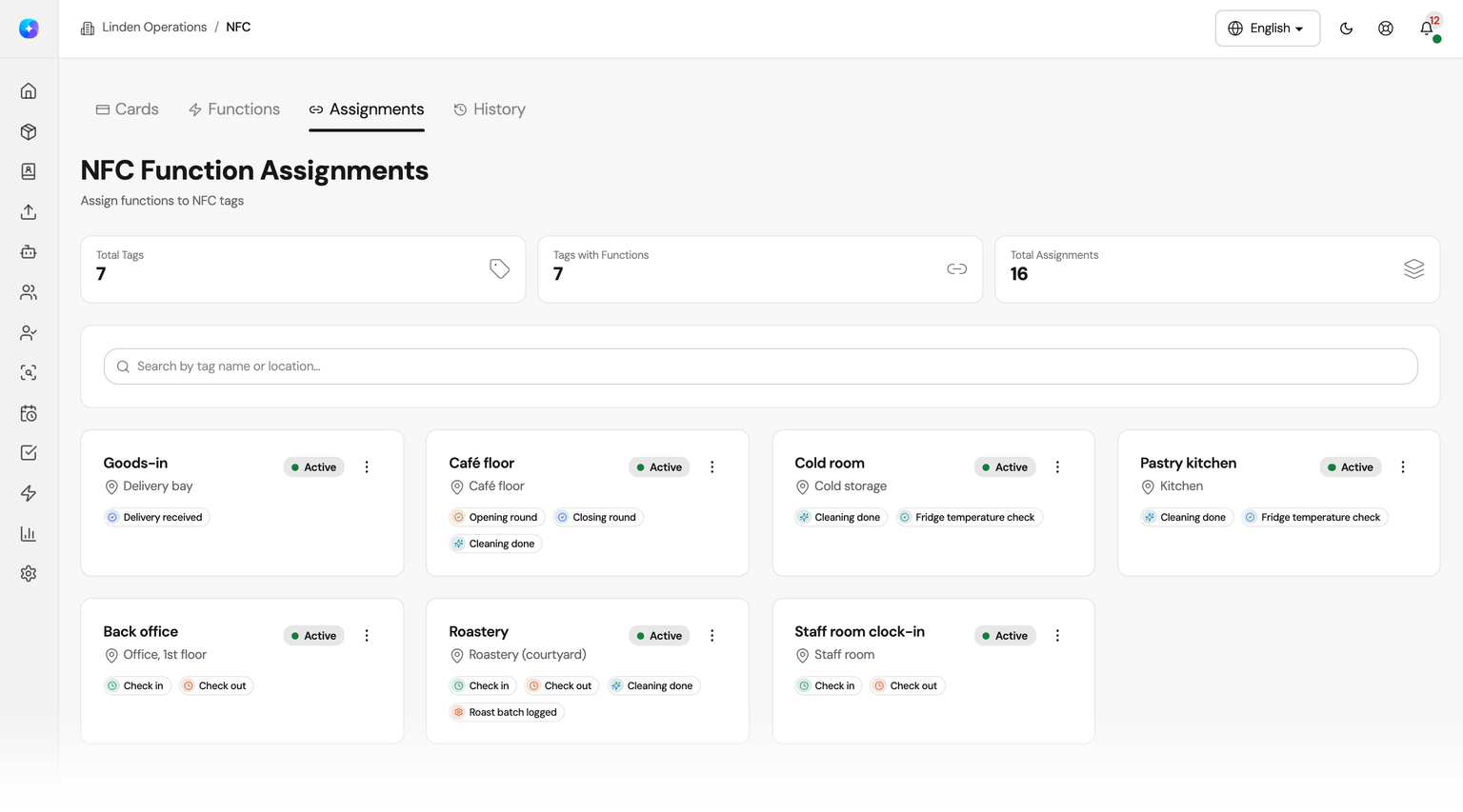
From a sign-in sheet to a tag scan
A sign-in sheet holds what people remember to write down. An NFC tag records the scan at the moment it happens.
With a sign-in sheet
- Times are written down after the fact, or not at all.
- On Friday, someone types the sheet into a spreadsheet.
- Nobody can tell where a shift started.
With NFC check-in
- A scan checks the person in or out at that moment.
- The session is in Attendance History as soon as it is recorded.
- Each session shows the location of the tag that was scanned.
Set up NFC tags in three steps
Register the tags, decide what a scan does and give each tag the functions it needs.
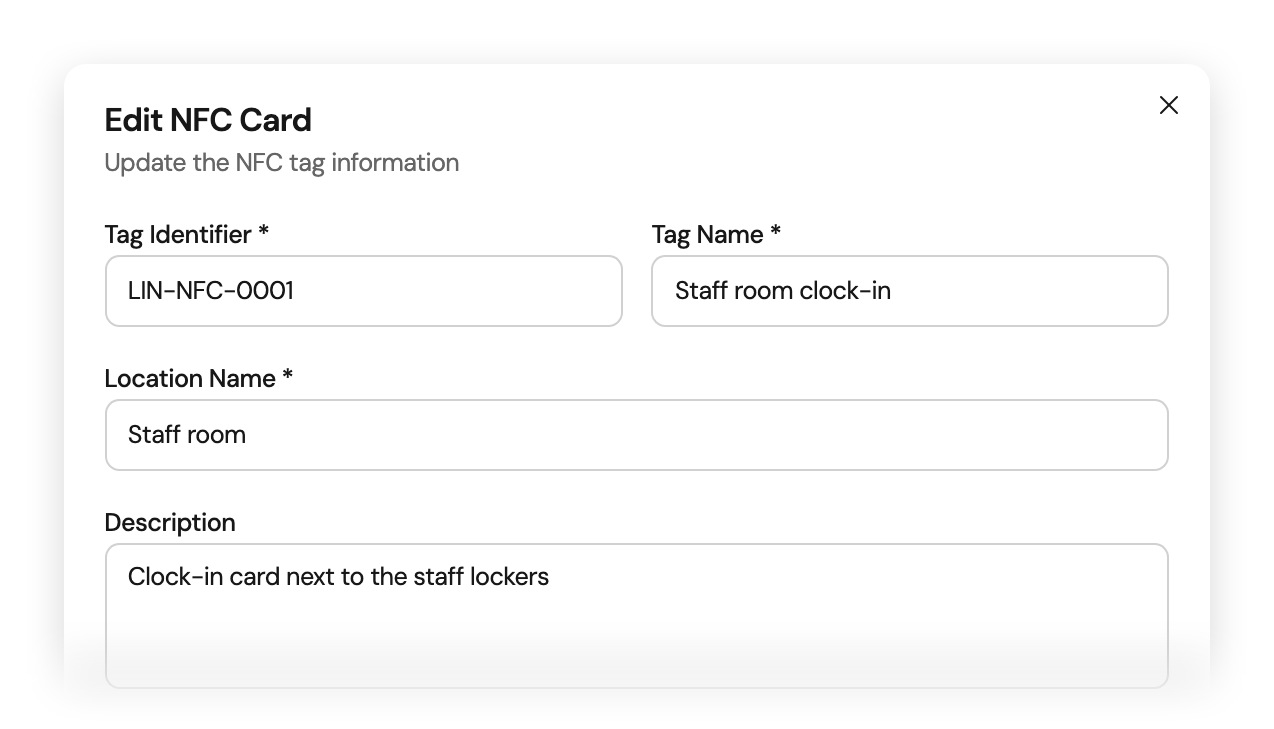
Tags
Register each tag with its place
Give every NFC tag its identifier, a name and the location where it hangs, with an optional description and coordinates. Switch a tag off when you stop using it.
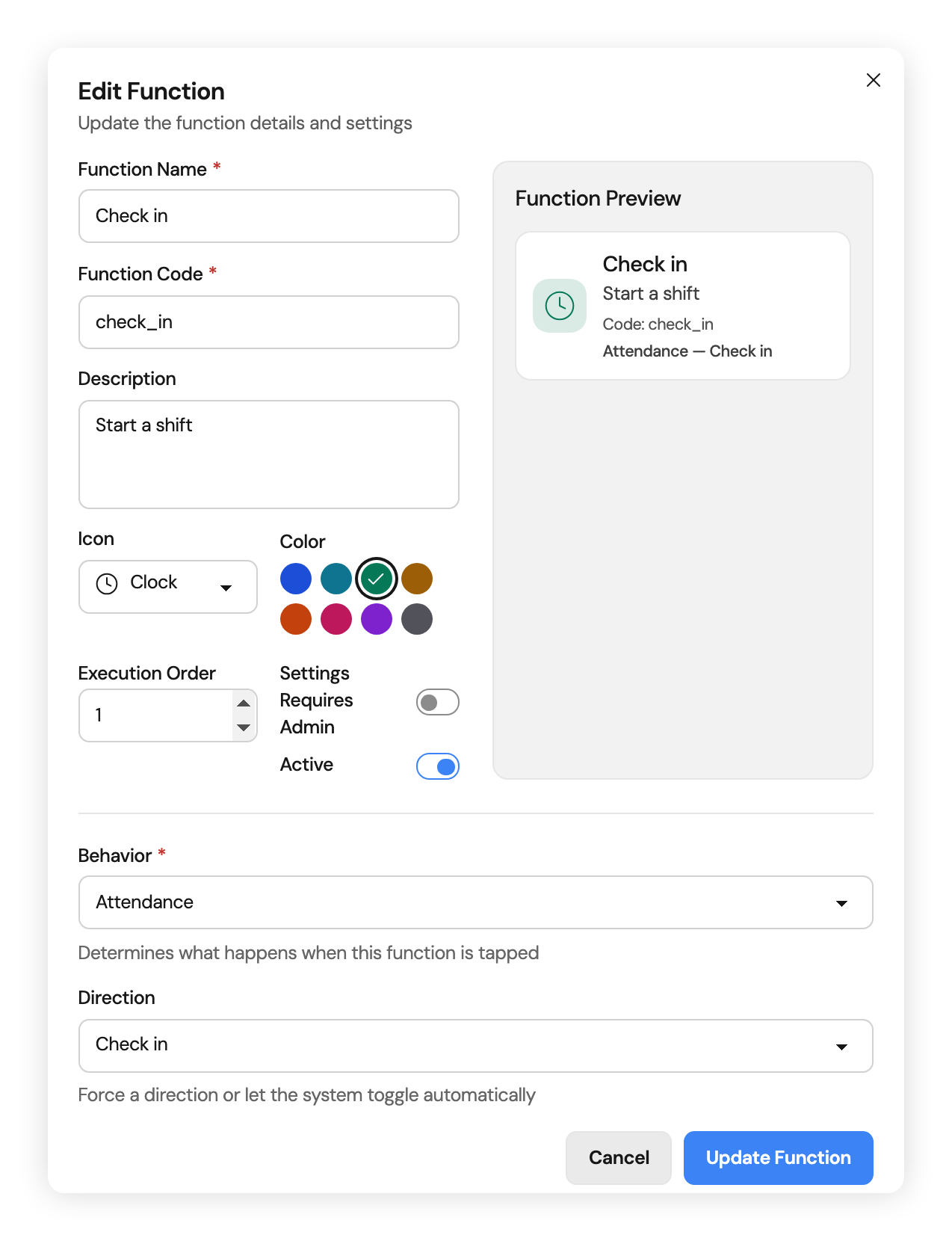
Functions
Decide what a scan does
Each function has a behavior. Attendance checks the person in or out: set one direction, or let Orchido switch between the two. Other functions record that a cleaning round, a closing round or a delivery happened at that place. Turn on Requires Admin to keep a function to the people allowed to run it.
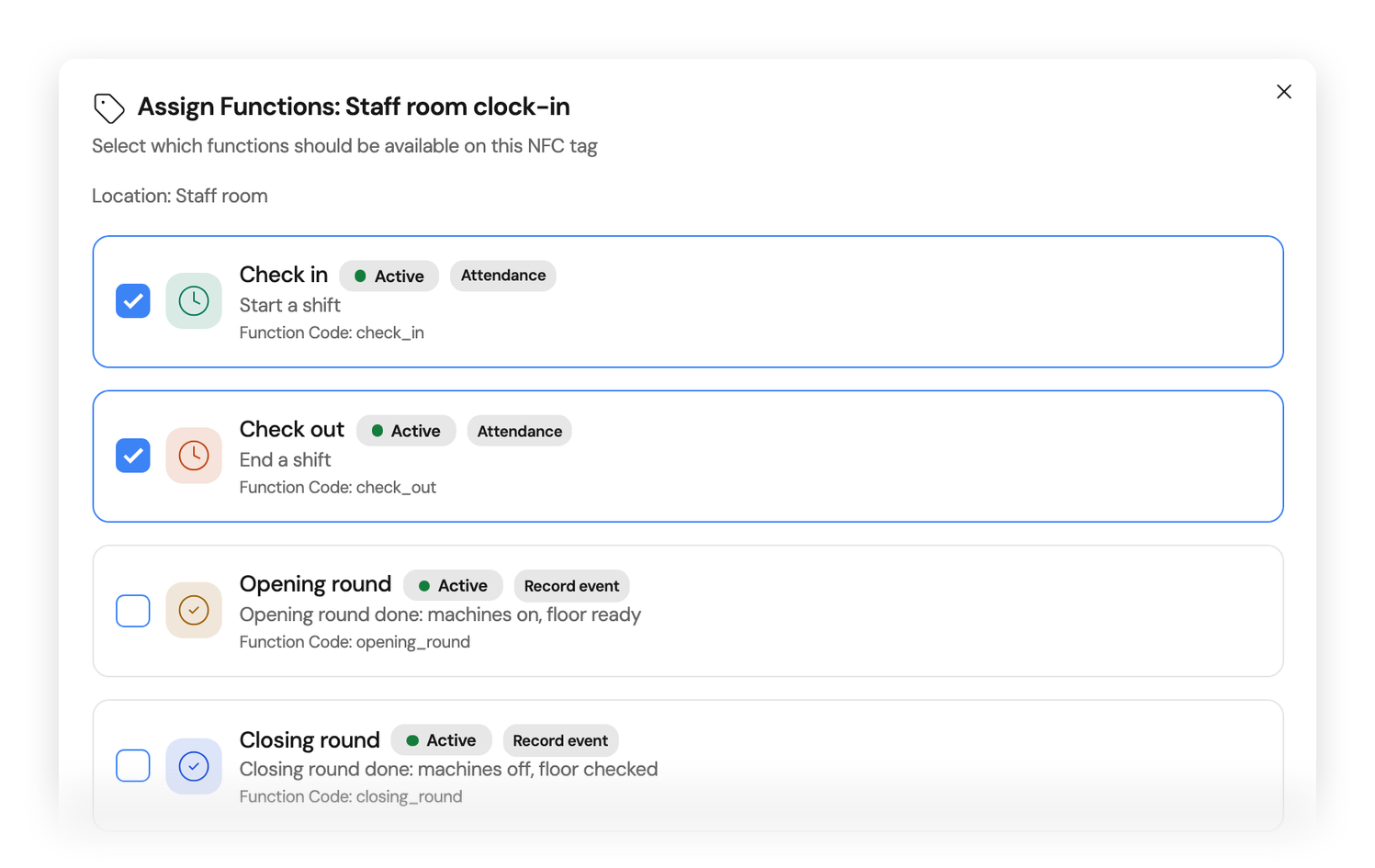
Assignments
One tag, several functions
Choose the functions each tag offers, such as Check in and Check out on the tag in the staff room, or Cleaning done in the kitchen. A tag with no function still works: one scan checks the person in, the next checks them out.
Set up your first tag in the trial
Register one tag and give it the Check in and Check out functions. From then on, each scan of that tag records a session in Attendance History.
No credit card required.
Professional plan, included in the free trial. Tags are scanned with the Orchido app.
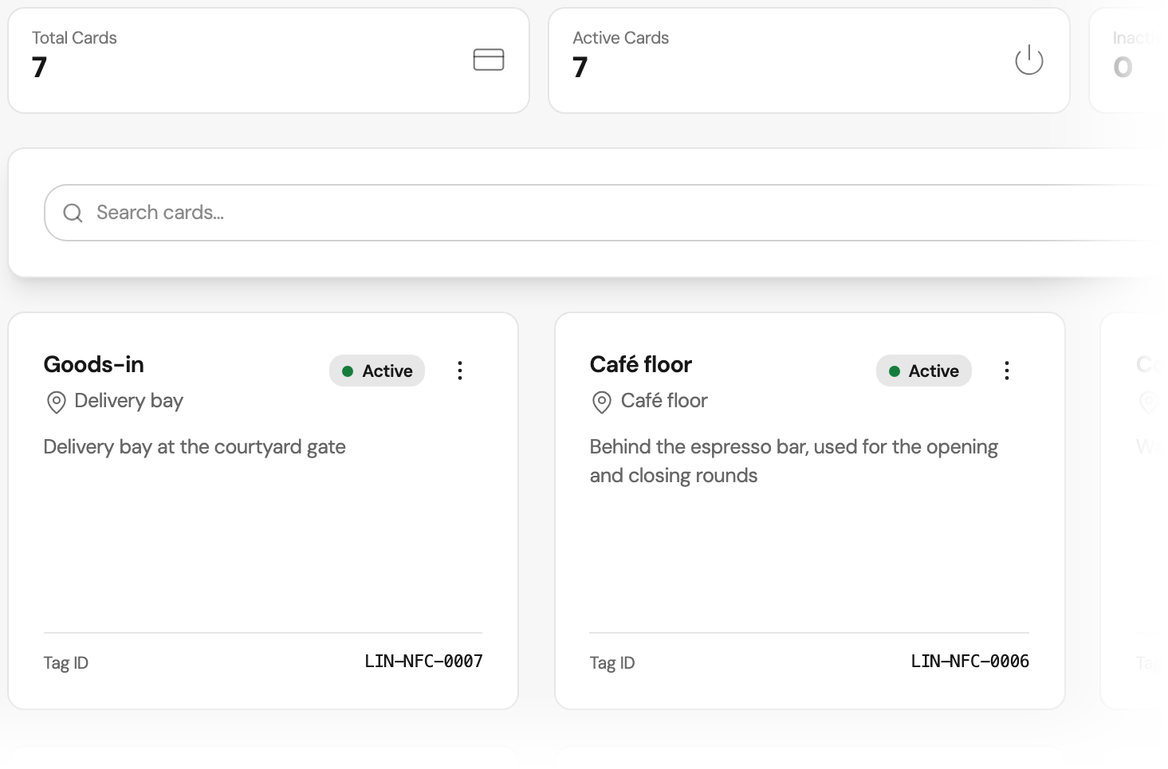
What happens after each NFC clock-in
Check-ins and check-outs go to Attendance History. Everything else a tag records goes to the NFC history.
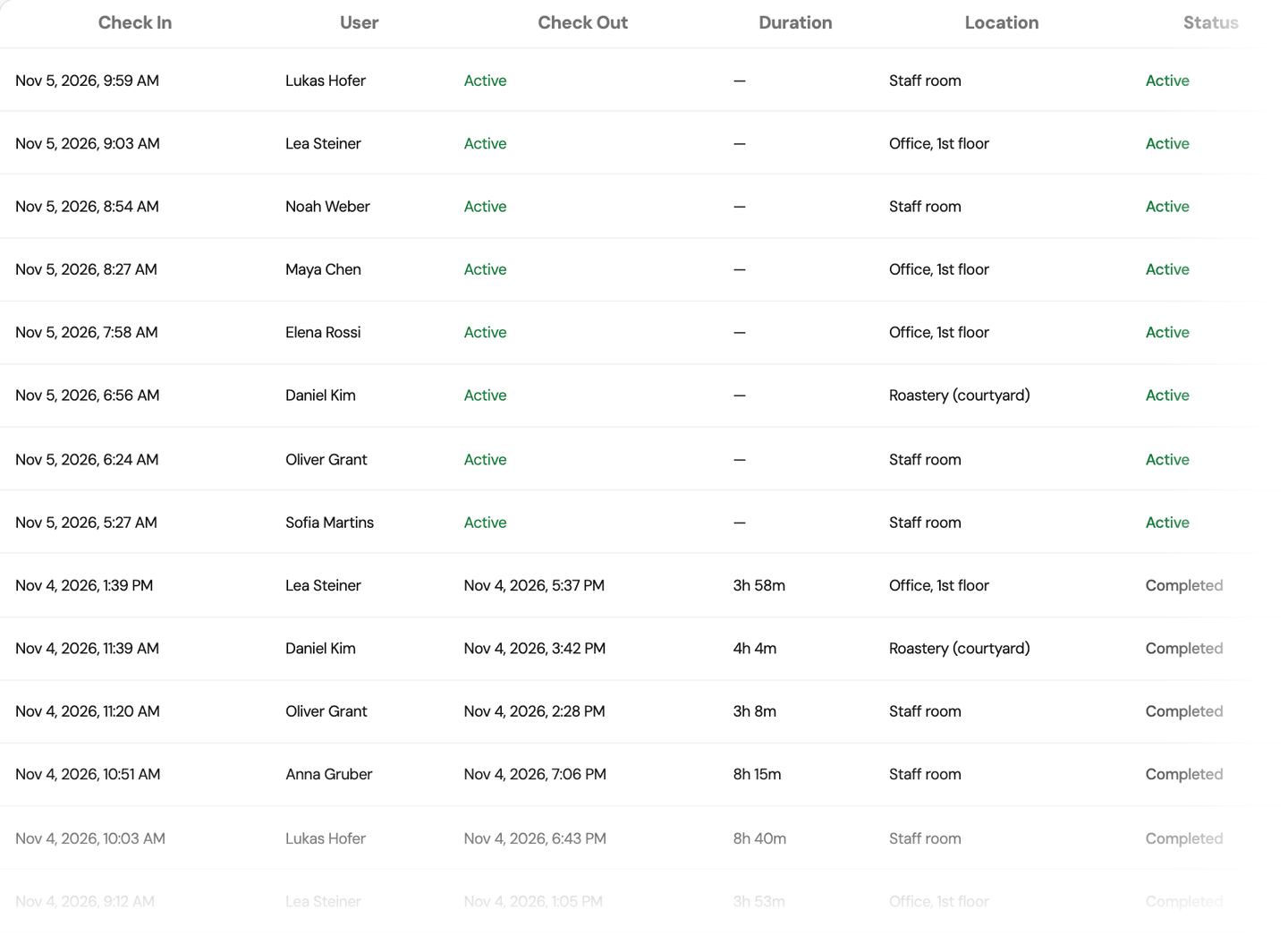
Attendance History
Two scans, one session
A check-in scan opens a session and the check-out scan closes it. Attendance History shows the person, both times, the duration and the location of the tag. If nobody checks out, the session stays open until that night, when Orchido closes it with an automatic check-out. An authorized user then corrects the time with a reason, as on any other attendance record.
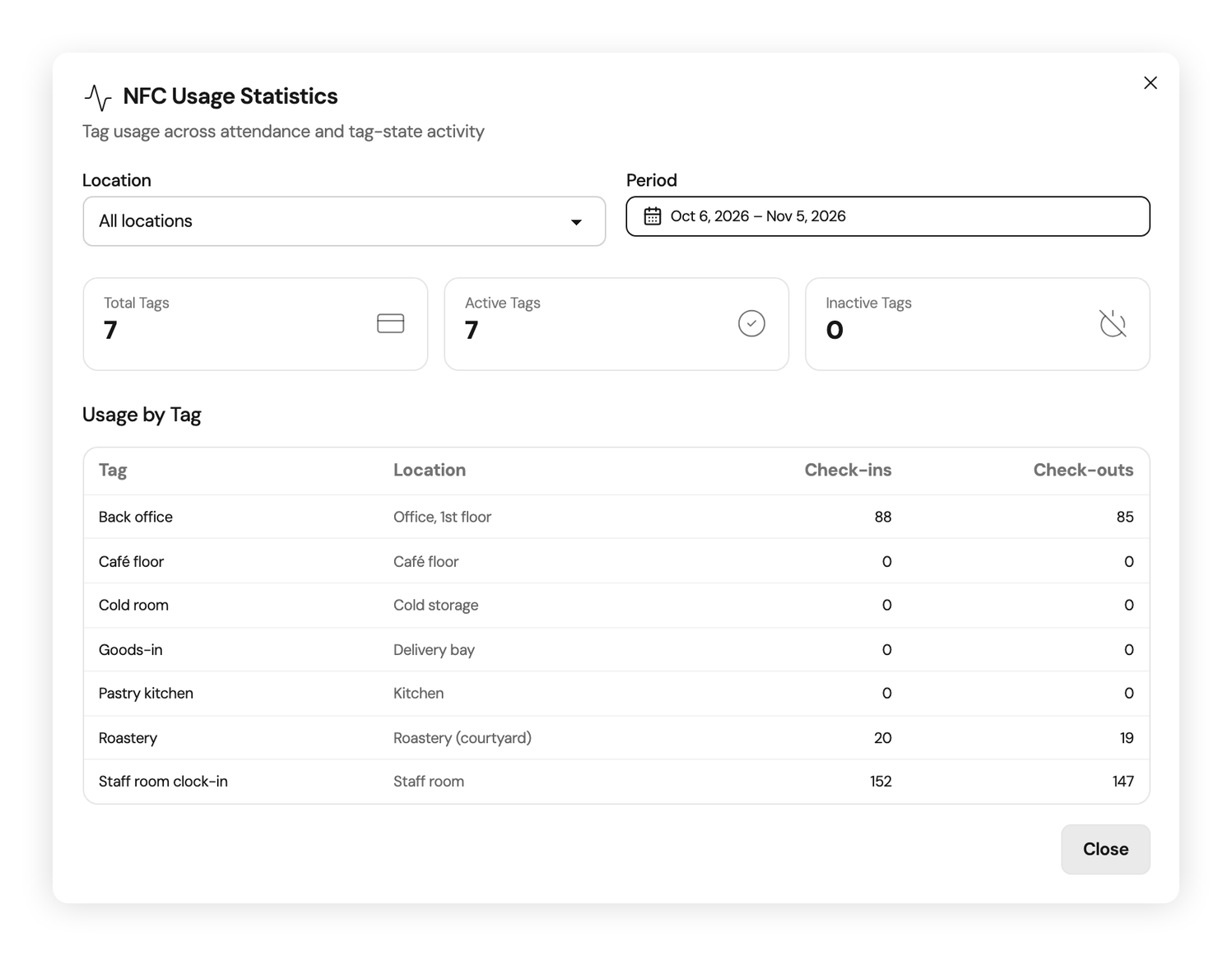
Usage statistics
How often each tag is used
Usage statistics count the check-ins and check-outs on each tag, for the location and period you choose.
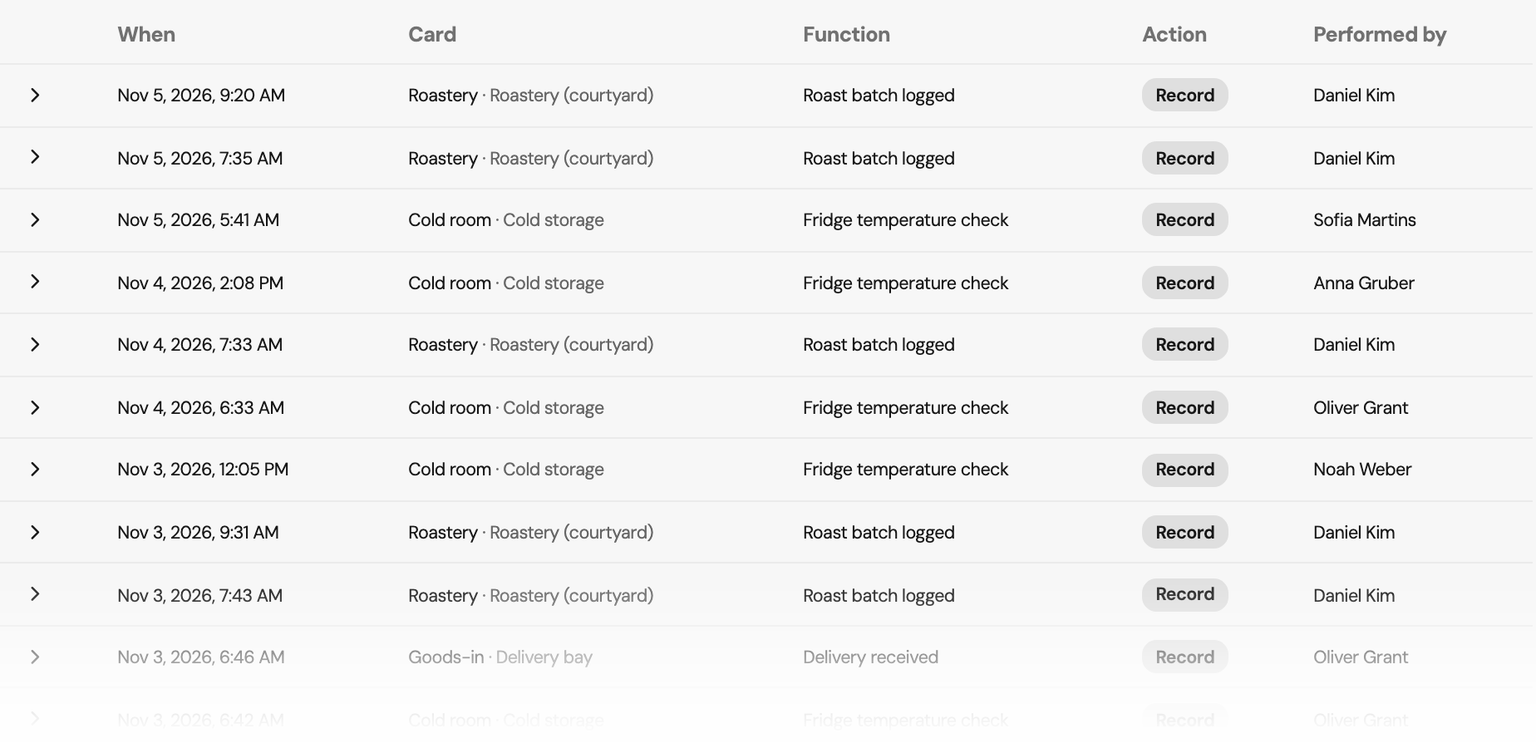
NFC history
Read who scanned which tag, and when
Recorded scans, such as a fridge temperature check, a delivery received or a roast batch logged, appear in the History tab with the tag, the function, the person and the time. Filter by tag, function, person, type or date range. By default, only owners can open the NFC history.
Built on the attendance record
A default for every tag
A tag with no function checks the person in, and the next scan checks them out.
All in the same attendance record
A scan lands on the same record a manual entry would, so corrections and the CSV export work the same.
Owners hold the setup
By default, owners manage tags and functions. Every role can see the tags and scan them.
Questions about NFC time tracking
How does NFC time tracking work in Orchido?
Which plan includes NFC check-in?
Do I need an app for NFC check-in?
Which NFC tags do I need?
What if someone forgets to check out?
Can an NFC tag do more than check people in?
Does a closing-round scan change the state of a place?
Who can set up tags and functions?
Where should the first tag go?
Set up NFC check-in in the free trial
Register a tag and choose its functions. From then on, a scan of that tag checks a person in or out.
No credit card required.
Professional plan, included in the free trial. Tags are scanned with the Orchido app.
- Register a tag. Give it a name, an identifier and its location.
- Assign functions. Give the tag the Check in and Check out functions, so a scan checks a person in or out.